
XRechnung and ZUGFeRD
XRechnung is the XML format to EN 16931-1 that public bodies require. ZUGFeRD puts the same data as XML inside an archivable PDF/A — one document a person can read and a machine can process.
Every recipient wants it differently. One insists on XRechnung, the next on ZUGFeRD, a third uploads to a portal, and one still gets paper. Dispatch turns that into one process instead of five.
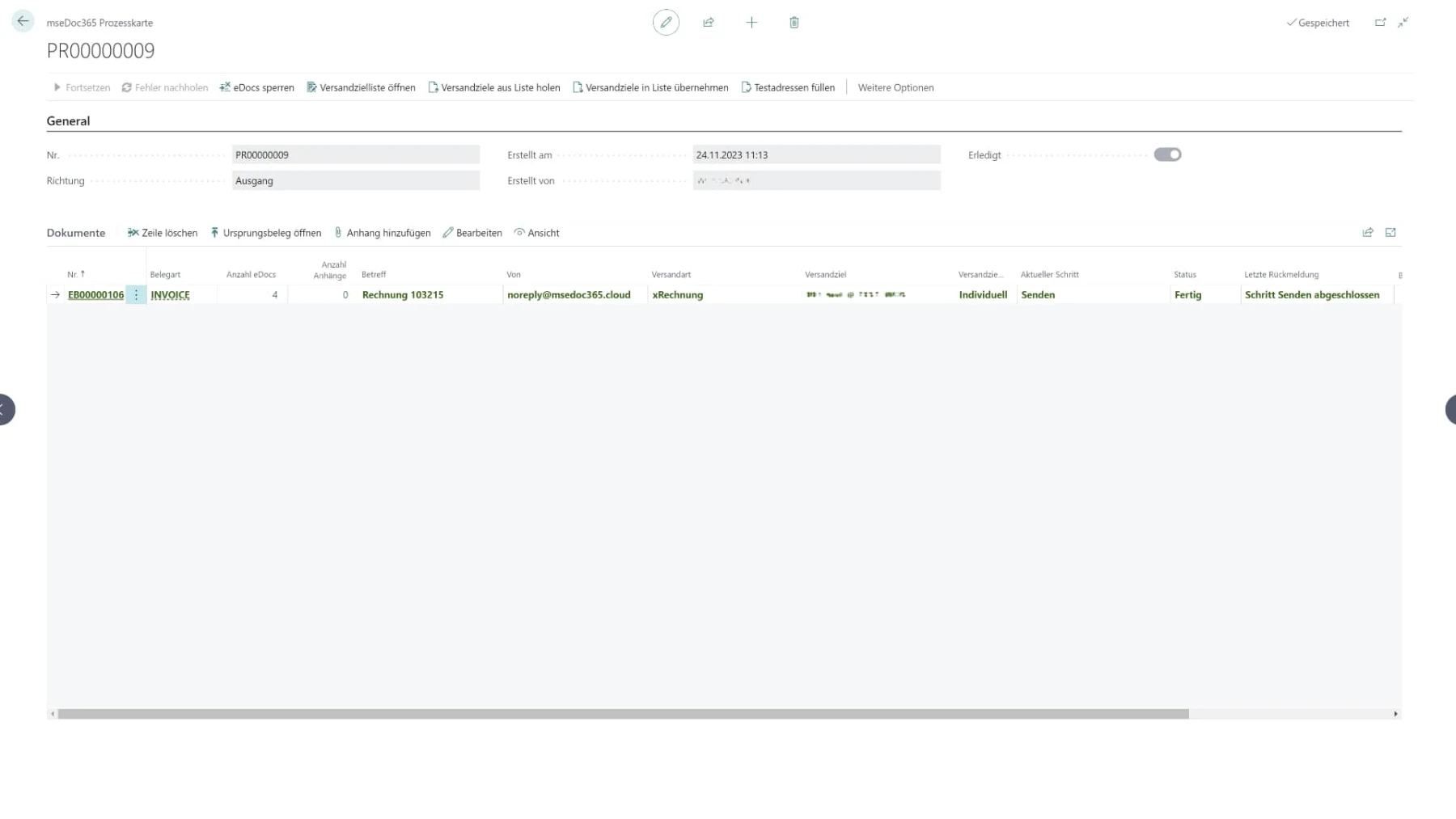
E-invoicing mandates turned a formality into a list of requirements. Public bodies take XRechnung, large corporates insist on their own EDI process, European business adds PEPPOL, and a share of your customers still want the invoice in the post.
The usual answer is islands: a tool for XRechnung, a portal login for that one large account, a printer for the rest — and nobody can say whether a given invoice actually arrived.
The document itself carries which format it goes out in and to which target. The process builds the file from that, hands it to the channel and writes back what happened — down to the last response from the other side. Anybody asking whether invoice 103215 went out can see it on the document.
Subject, mail body, file name and letterhead sit in a template per document type and language. Placeholders pull their values straight from the document's own fields — posting date, customer, document number, your reference — so the mail matches the document without anybody writing it.
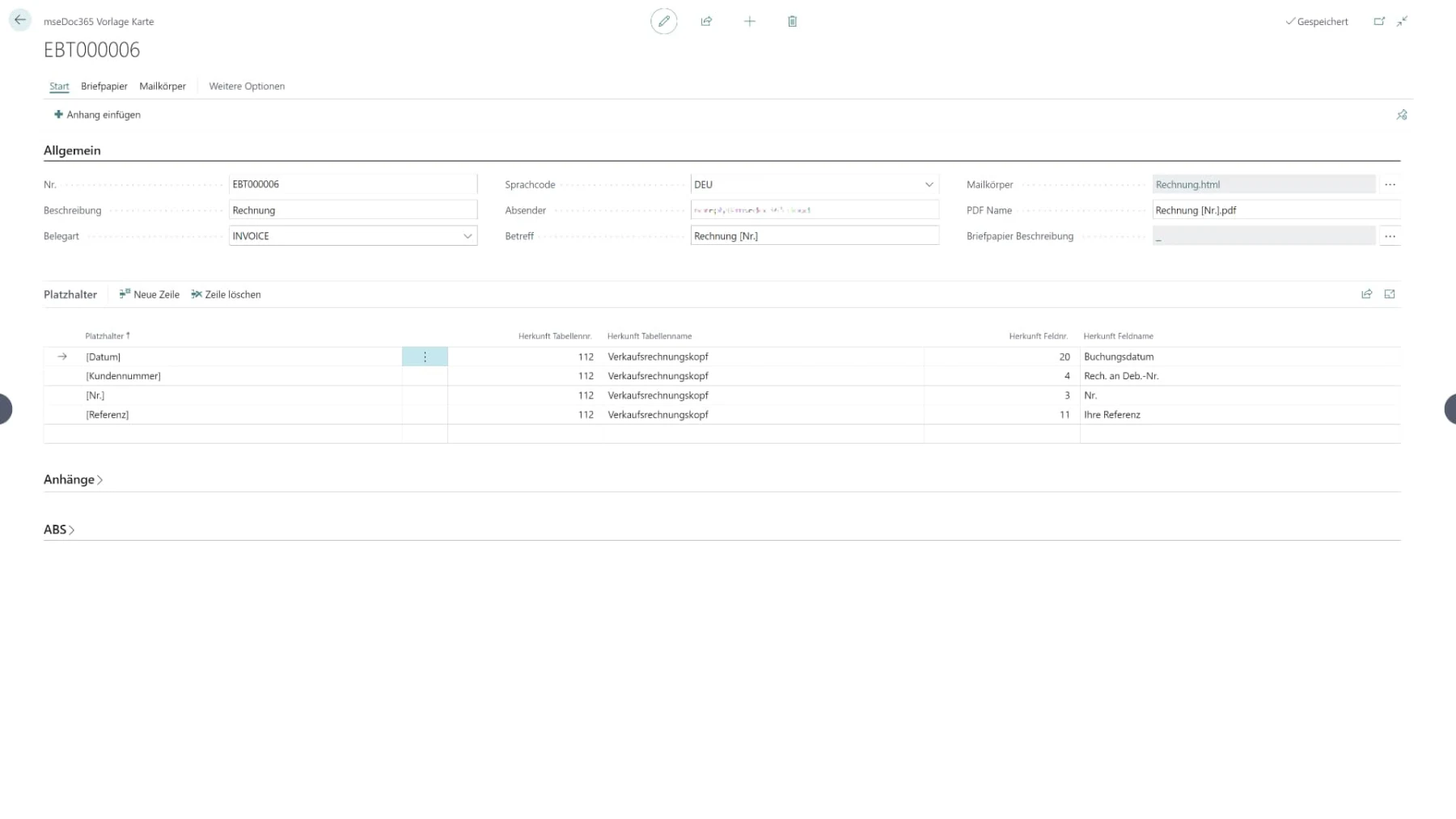
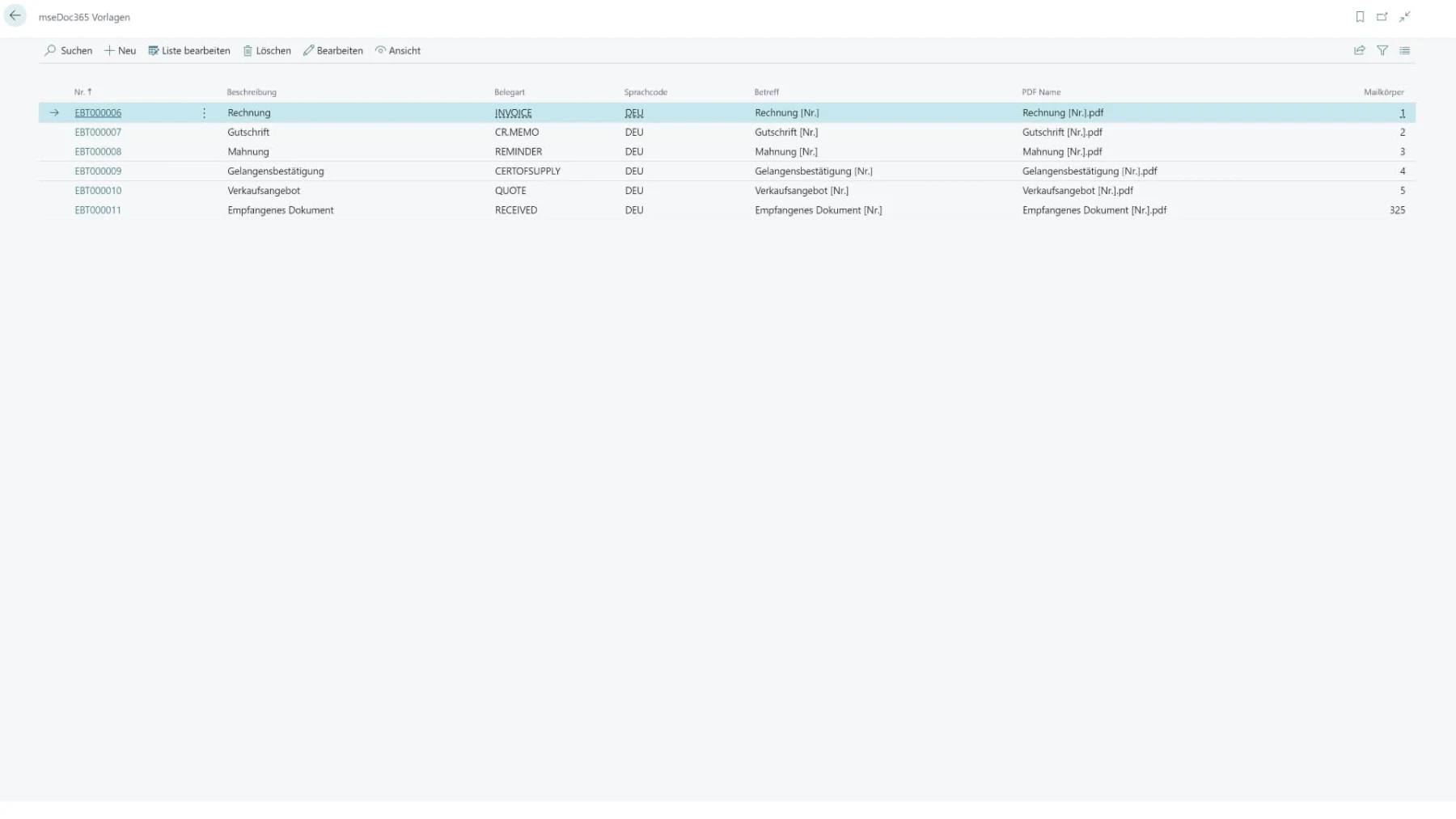
Credit memos, reminders, quotes, certificates of supply: every document type gets its own template and its own way out. The process behind it stays the same, which is why the second document type costs considerably less than the first.
XRechnung is the XML format to EN 16931-1 that public bodies require. ZUGFeRD puts the same data as XML inside an archivable PDF/A — one document a person can read and a machine can process.
PEPPOL is the European dispatch network where companies and public bodies identify themselves by their Peppol ID. openTRANS is the Fraunhofer IAO's open XML schema. For everything beyond them there is the EDI connection.
From plain email to verifiable, encrypted delivery — depending on how much proof the transaction needs.
Where authenticity and integrity have to be provable, the document is signed with a qualified electronic signature.
Customers who want a printed invoice are served through the lettershop partner — from the same process, without a second system.
Yes, back as far as NAV 2013 R2. The sending itself runs in a web application outside Dynamics. All that comes from Dynamics is the trigger, the master data and the sending profiles, and on older versions a dedicated app takes those over. E-invoicing mandates hit companies in the middle of ordinary business, and dispatch cannot wait for the next upgrade.
Dispatch is the successor to the document dispatch side of eBeleg and mseDoc365, built on AutoFlow. If you run mseDoc365 today you lose nothing — talk to us about the move.
That is AutoFlow Receive. Dispatch is the outbound side: everything that leaves your company. Both sit on the same platform and run together.
No, and that is the point. The format is a property of the recipient, not of the process. One customer gets XRechnung, the next ZUGFeRD, the third paper — from the same posted document.
The send status and the last response from the other side sit on the document, not in a log somebody has to open. A failed send is visible rather than surfacing three weeks later.
The EDI connection and the dispatch partner cover direct connections into recipients' own ERP systems as well. Tell us what is being demanded.
XRechnung, ZUGFeRD, PEPPOL, EDI or paper. We have been setting this up for twenty years. Name your recipients and your document types and we will show you what your outgoing invoicing looks like afterwards.