
Credentials
Credentials for external systems sit encrypted in one central place instead of scattered through the flows. Rotate a key once, not once per flow.
A first look at how AutoFlow works and what it can do, from the individual building blocks through to the execution log.
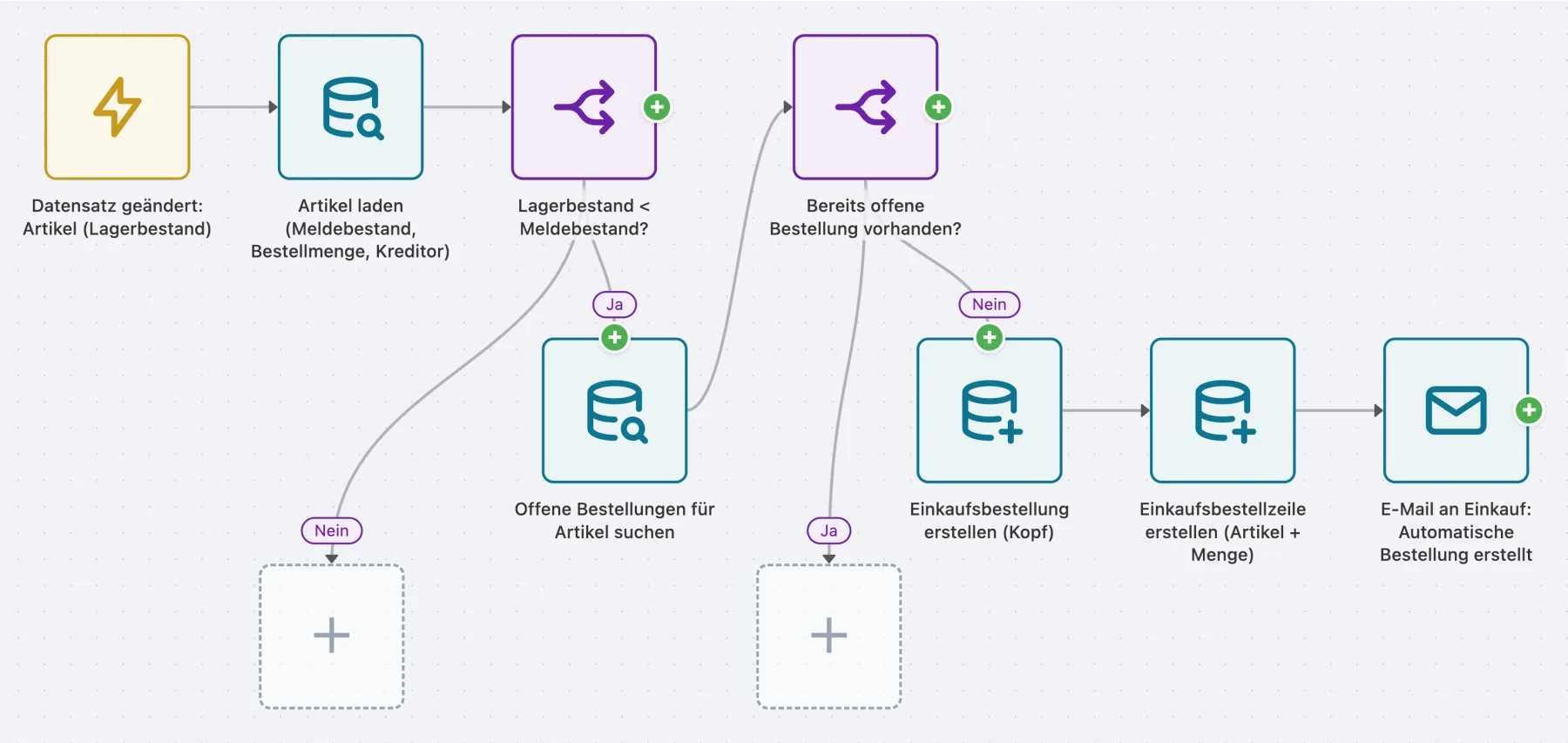
That is the difference from automation tools that look at an interface from the outside. AutoFlow sees the same tables, the same documents and the same events the user does — and can intervene at the points where otherwise only AL code could.
What you build with it is still configuration rather than code: no object extension, nothing to recompile at the next update, and nothing you have to book a developer for.
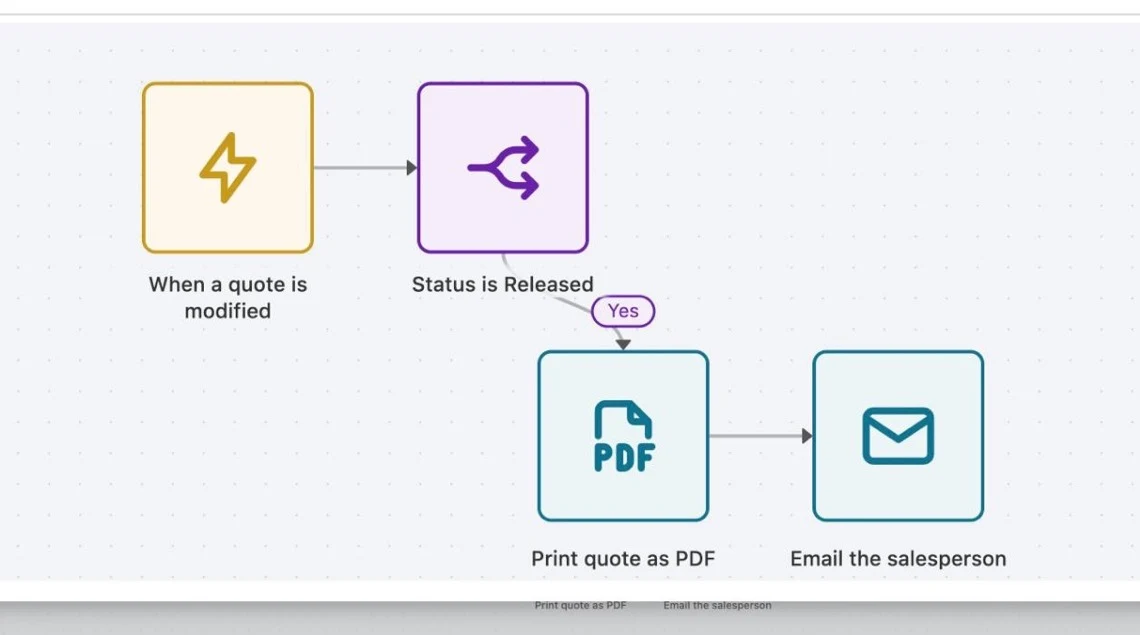
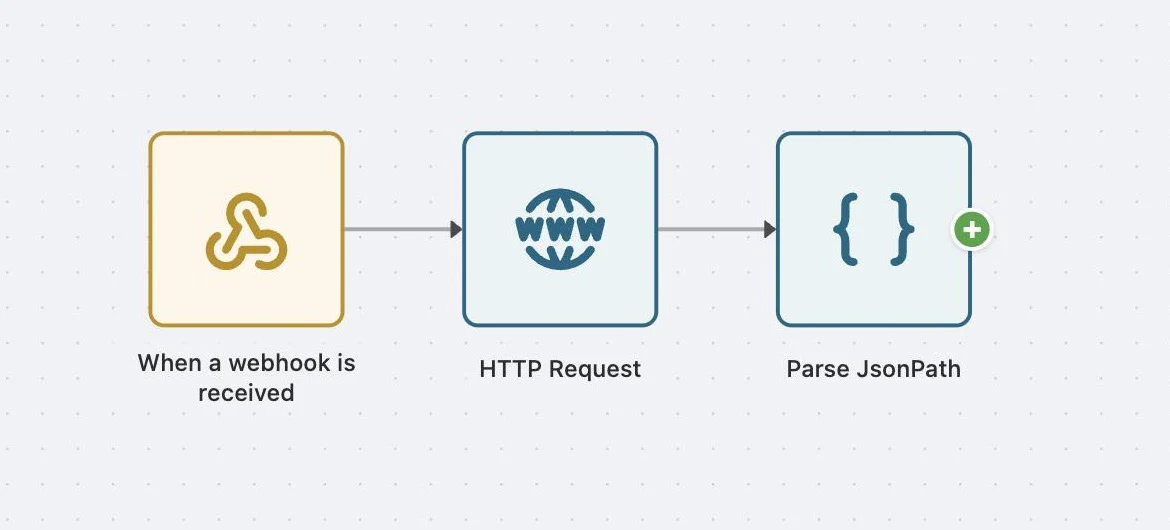
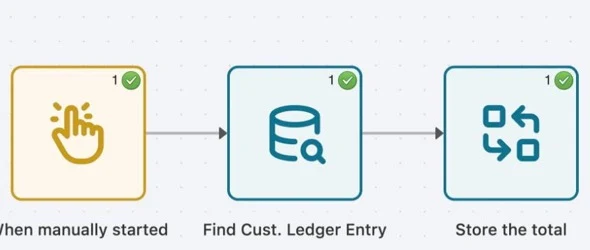
Trigger on the left, steps beside it, branches visible as branches. Anyone who can explain the process can build it — and anyone who has to change it later can see at a glance what happens.
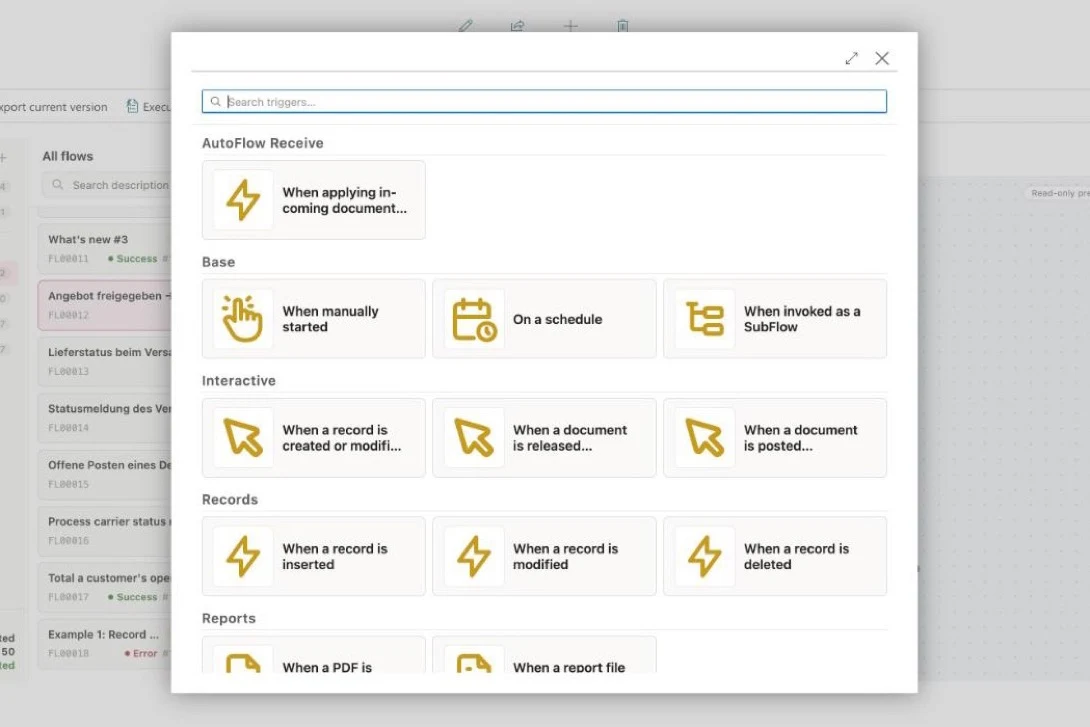
A record is created, changed or deleted. A document is released or posted. An external system calls a webhook. The job queue starts a scheduled run. Someone presses a button. Or another flow calls this one.
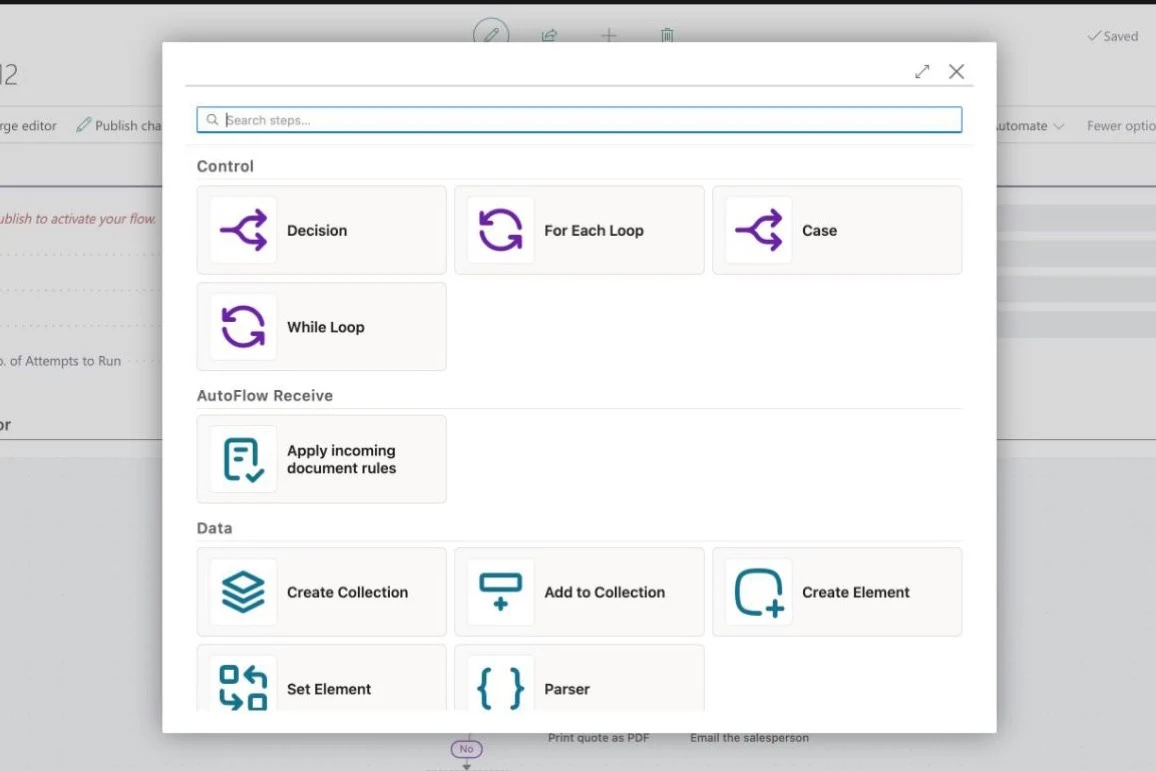
Find, create, change and delete records. Branch and loop. Draw numbers from a number series, set dimensions, add item tracking. Render PDFs from reports. Send emails and show notices in the page itself.
Every value a step produces — customer number, status, line amount — is a SmartField the following steps can reach. A SmartFilter turns those values into a yes/no answer for a branch to decide on or a search to narrow by. And through references you reach connected tables just as easily.
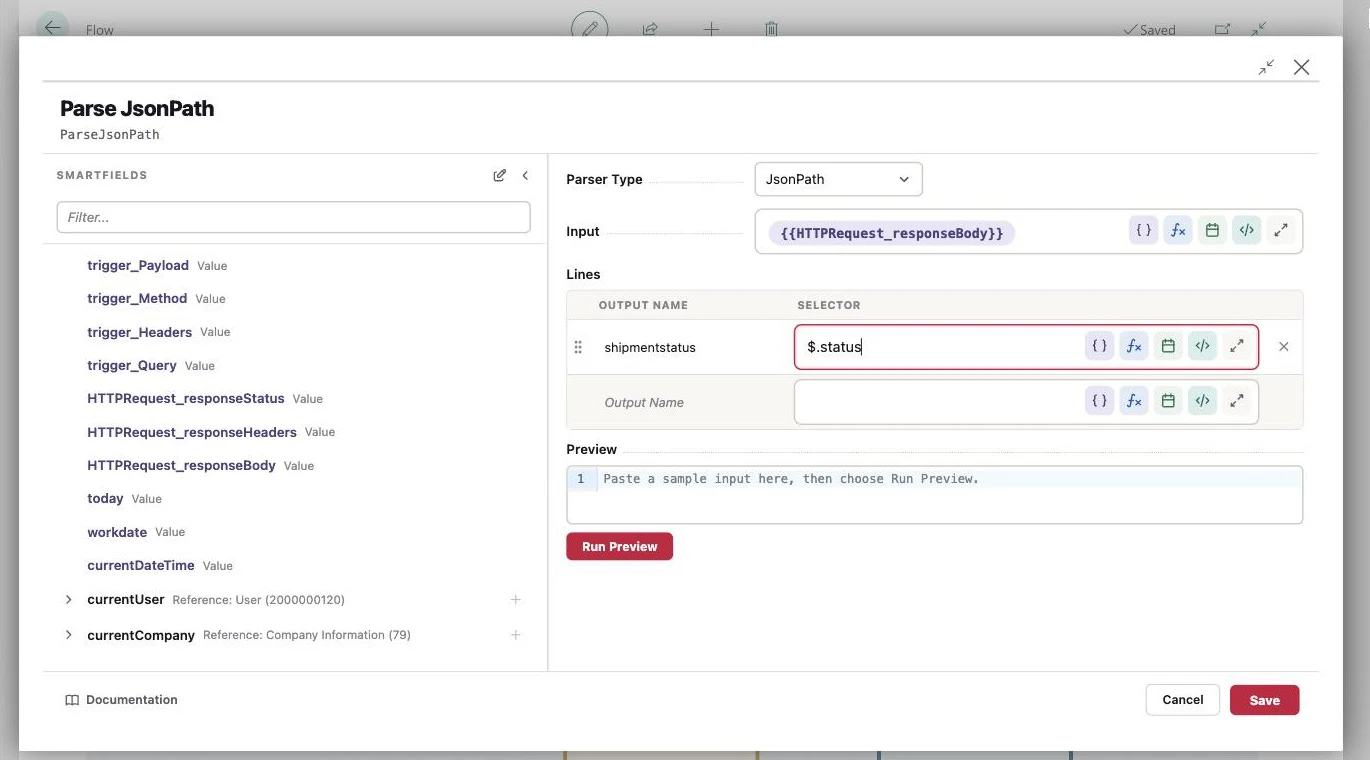
Put a complex calculation together as a SmartFormula in a few clicks. Total or average a whole set of records. Handle date arithmetic with a SmartDate. And discover SmartControls, which print content into running text dynamically.
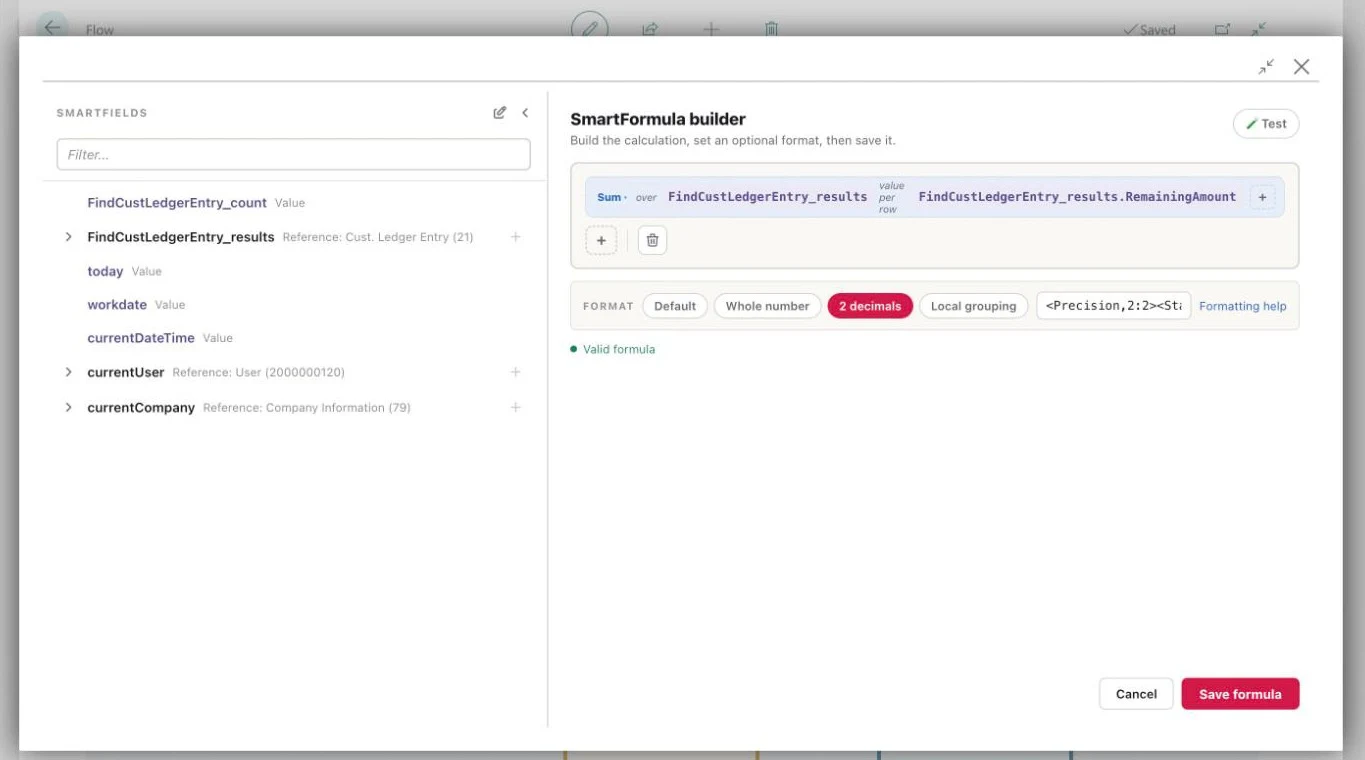
Use the HTTP step to connect your Business Central to other systems, for example the APIs of SharePoint, your ticketing system or your webshop. The parser reads the answer out, so the following steps can work with it.
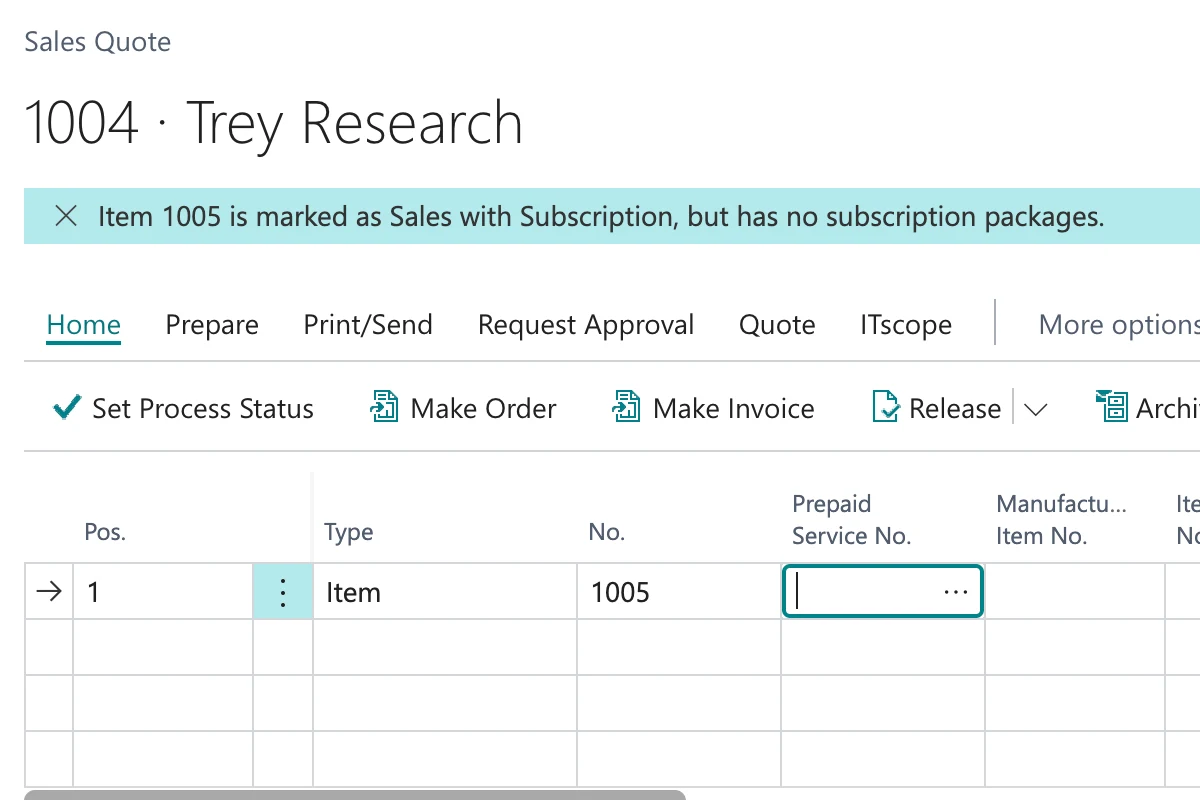
Interactive flows run in the user's own session, for example while they enter a line or release or post a document. The flow can send a notice, change fields, or interrupt what is happening with an error, to stop a posting for instance.
Every run is logged in full. You can follow which steps completed, and where a flow ran into an error if it did.
Credentials for external systems sit encrypted in one central place instead of scattered through the flows. Rotate a key once, not once per flow.
Attachments and generated reports are stored, managed and previewed inside Business Central — without a detour through external storage.
Hold on to intermediate results across steps — one value or a list of them.
Draw number series, read and set dimensions, add item tracking.
Call the AL logic that already exists rather than rebuilding it in a flow.
A flow nobody understands in a year does not get maintained — it gets worked around. Notes sit beside the steps they explain, so they do not end up where documentation usually goes to die.
Three gallery templates, each showing one of the features above: an interactive trigger, a call to the outside, and a scheduled run.
An interactive trigger: the flow runs in the user's session and stops the release, rather than reporting the problem afterwards.
View templateA call to the outside: an HTTP step against someone else's API, the response parsed, the return value carried on.
View templateA scheduled run: the job queue starts the flow, it walks the entries and summarises what did not complete.
View templateNo. You build graphically from ready-made blocks — no AL, no extension, no deployment. Anyone who knows Business Central and can describe the process can build it. We'll sit in on your first flow if you want.
Nothing. The logic does not sit in the BC core as an object extension; it sits beside it as configuration — there is nothing to recompile.
No, and it is not meant to. It takes away the cases development is too heavy for — the many small requirements that never justify a project. What genuinely reaches deep into the logic, you still develop.
Nothing. You can build and test in the sandbox without limits, and two active flows stay free forever in your production tenant. Only beyond that does it become a plan — the prices are on the home page.
You can build and test in the sandbox as long as you like, without limits. And two active flows stay free forever in your production tenant — not a trial that runs out.