












Connect on-premises SQL databases to Business Central Online
Business Central Online reads and writes data in your on-premises SQL database — through OneConnector and a step of its own in AutoFlow, without a migration.
Read the use caseBusiness Central runs in the cloud, but the legacy system's database and the folders the scale and the shipping software write to are in your own building. OneConnector makes them reachable, and AutoFlow brings them into your processes.
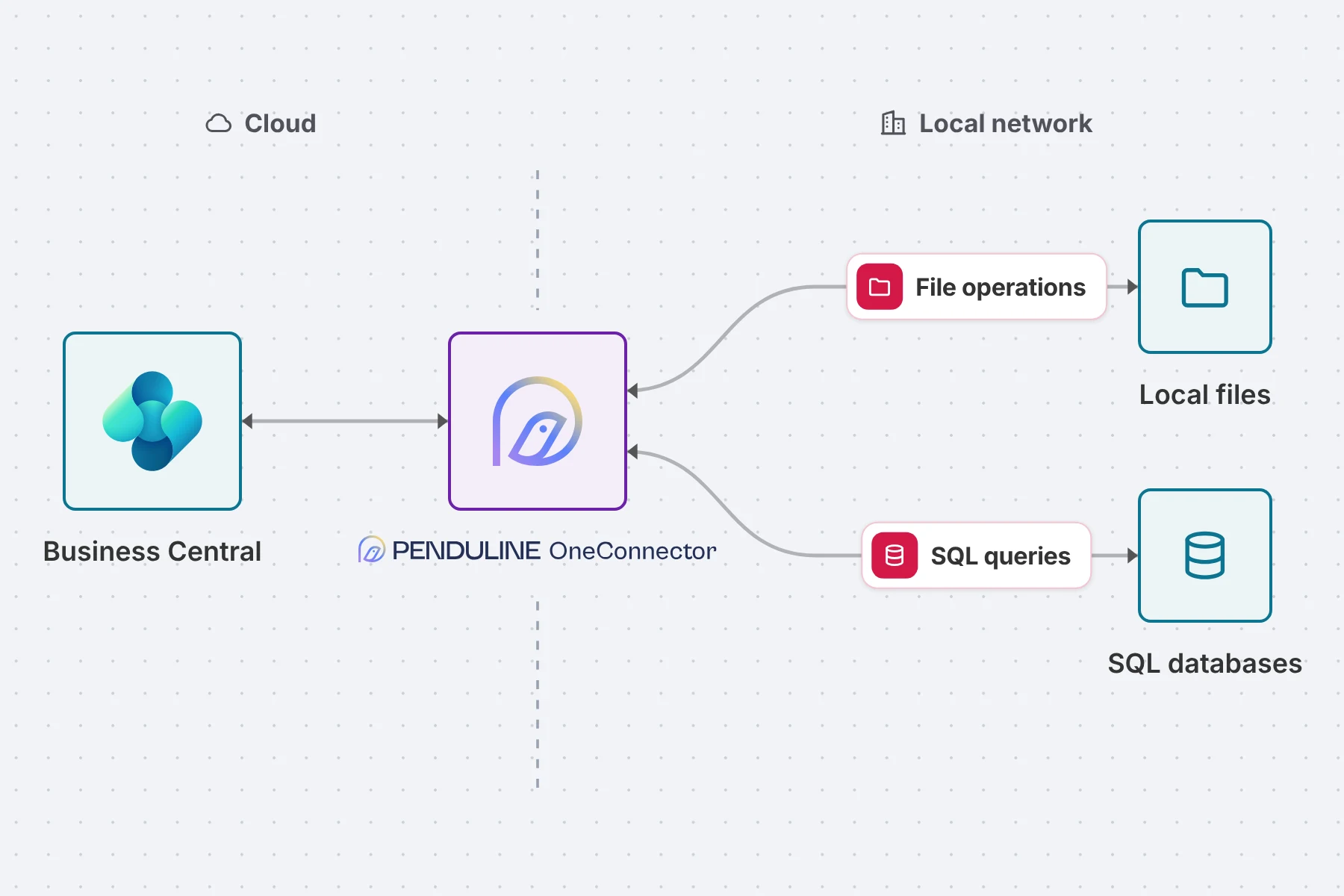
Business Central Online cannot reach the database in your own server room, or the network drive. Yet that is often where what you need every day lives: the legacy system, the specialist application, the table that was never migrated, the folder a machine writes its feedback into.
Penduline's OneConnector runs inside your network and builds the bridge. In AutoFlow it is a step of its own: run an SQL query, write records back, fetch files from a folder or put them there. What Business Central may see and change, you define yourself in SQL.
Agreed with the connector partner and built: we set the integration up with you, rather than you putting it together yourself.
Penduline is an AutoFlow connector partner. The integration uses the official interface, not a workaround.
The processes are built. We set them up with you; you bring the credentials and the mappings.
Every step sits in AutoFlow as a process. You see what happens, and add to it without code.
None of it sits in the Business Central core. An update leaves the integration untouched.
In both directions, for databases and for files. Which data that is, you decide in SQL and in your choice of folders.
Business Central Online reads and writes data in your on-premises SQL database — through OneConnector and a step of its own in AutoFlow, without a migration.
Read the use case
Files from local folders land in Business Central Online automatically, and exports from Business Central land where your local systems expect them.
Read the use caseSQL databases, which is what legacy systems and specialist applications almost always use. What Business Central sees of them, you write as an SQL query. Whether your database is among them, we settle in the first conversation.
Yes. A process can create and change records, exactly as far as your queries allow. The same goes for folders: read files and put files there.
No. That is the point: the data stays where it is, and Business Central uses it anyway. Whether you migrate later is a separate decision.
No. OneConnector sits in front of the database, and only the queries you set up are available from outside. Which tables and fields Business Central can reach, you decide in each query.
We set the connection up with you and Penduline: from OneConnector in your network to the first process that does without an export file.