










Automate processes
Triggers and events from Business Central drive follow-up processes across systems.
Click your workflows together instead of coding them. Break through system boundaries. Watch every run graphically and in real time.
A graphical process platform right inside Business Central.
Triggers and events from Business Central drive follow-up processes across systems.
APIs, third-party systems and services are cleanly connected to Business Central.
Extra logic runs outside of Business Central — upgrade-safe and maintainable.
Processes are orchestrated centrally instead of scattered across emails and manual steps.
AutoFlow is a graphical process platform inside Business Central. You implement customizations without classic development, operate everything through a friendly interface, overcome system limits and automate your processes.
Today, three roads usually lead to a dead end.
Every small change becomes a development project — with budget, waiting time and maintenance.
External tools quickly reach their limits as soon as you need to go deep into BC logic.
Off-the-shelf solutions rarely fit exactly — and can hardly be adapted in an upgrade-safe way.
Examples of the kind of processes that connect Business Central to other systems, services and workflows — structured, traceable, and without touching the ERP core logic.
Automate processes inside Business Central — from release to notification, with no code.
Connect Business Central to the tools your company already uses — by API, in real time.
React to events from outside — a webshop order, an IoT signal, a webhook from another system.
When an item's stock drops below the reorder point, AutoFlow checks open orders and automatically creates the right purchase order — including a notification to purchasing.
See how the automatic reorder works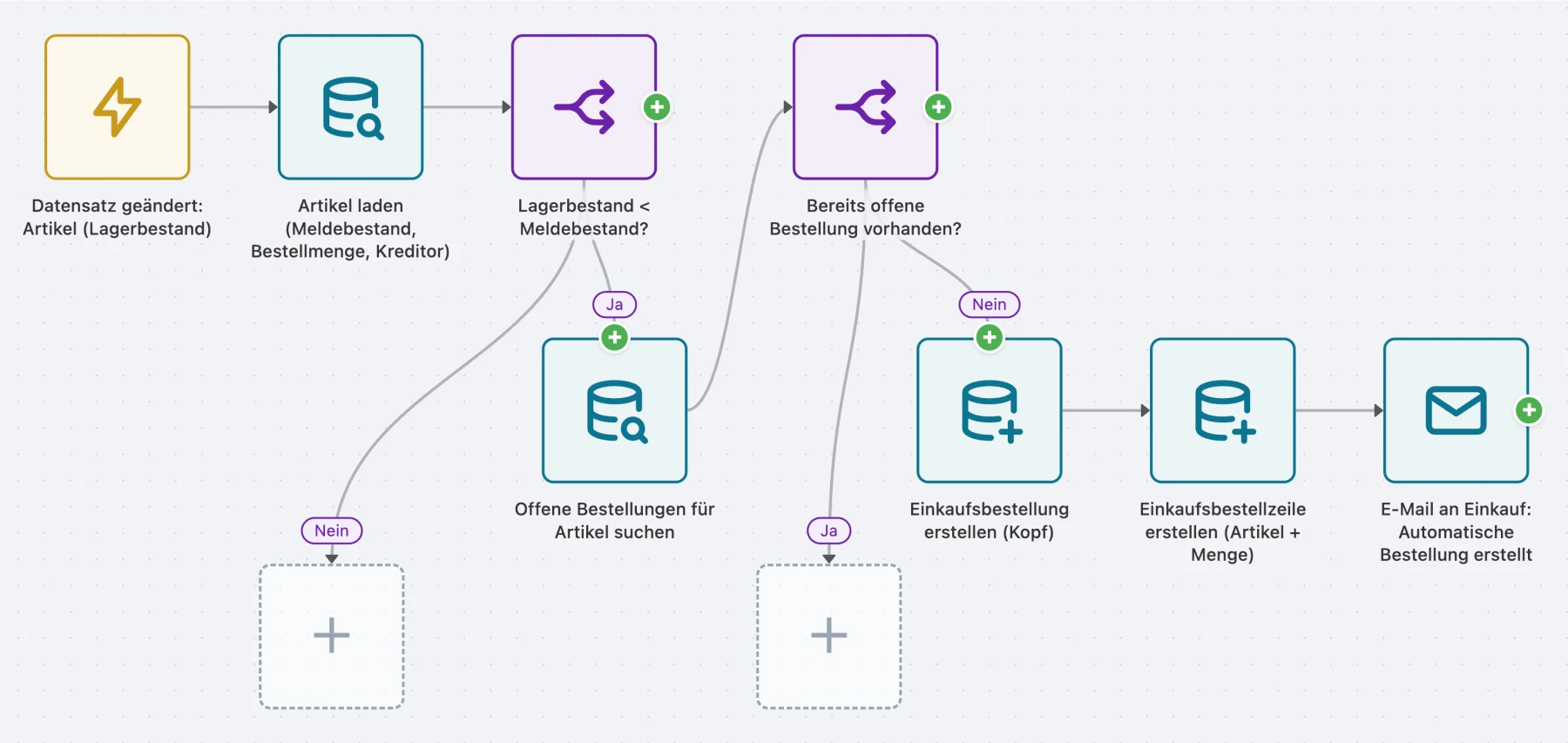
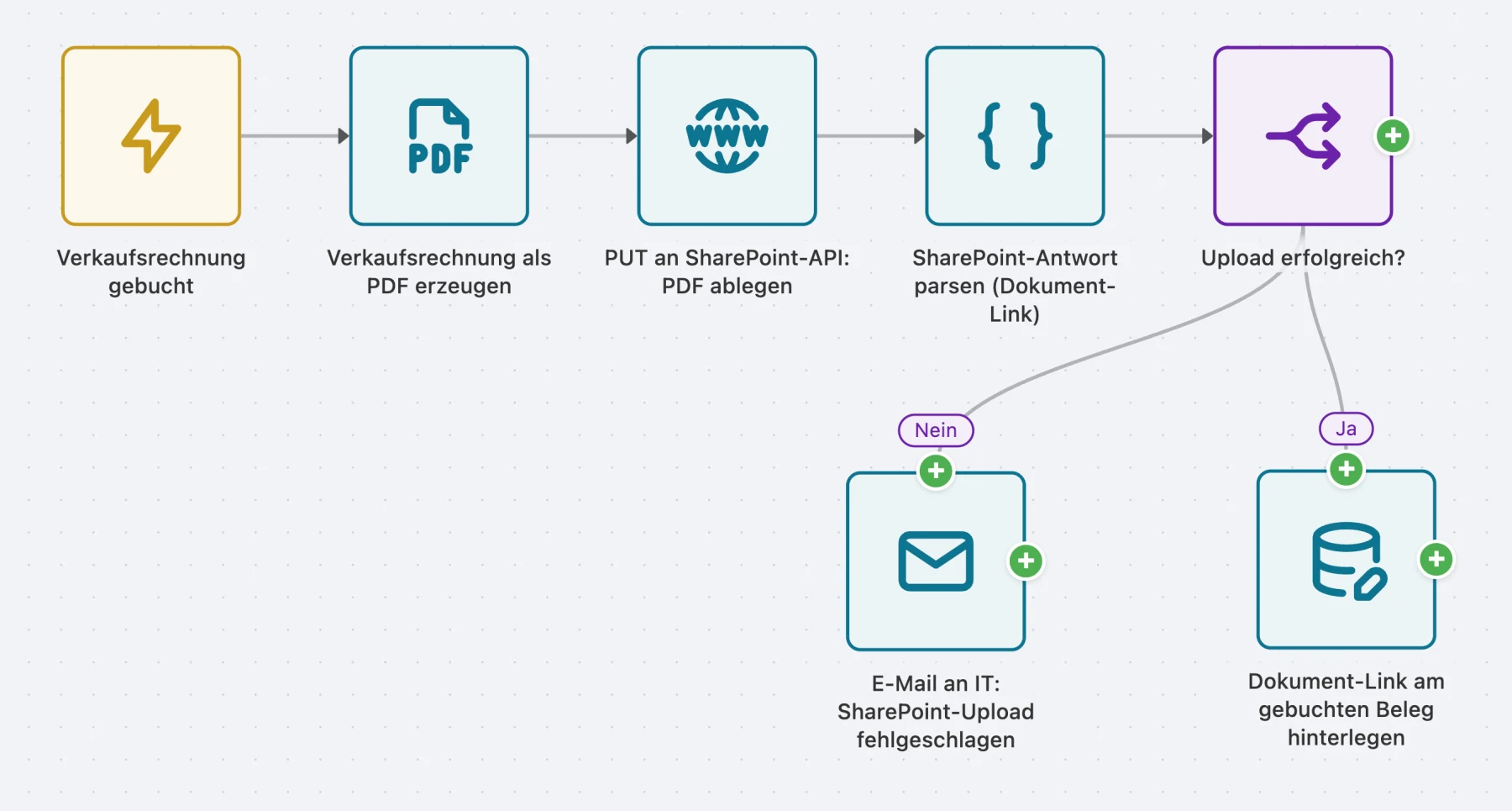
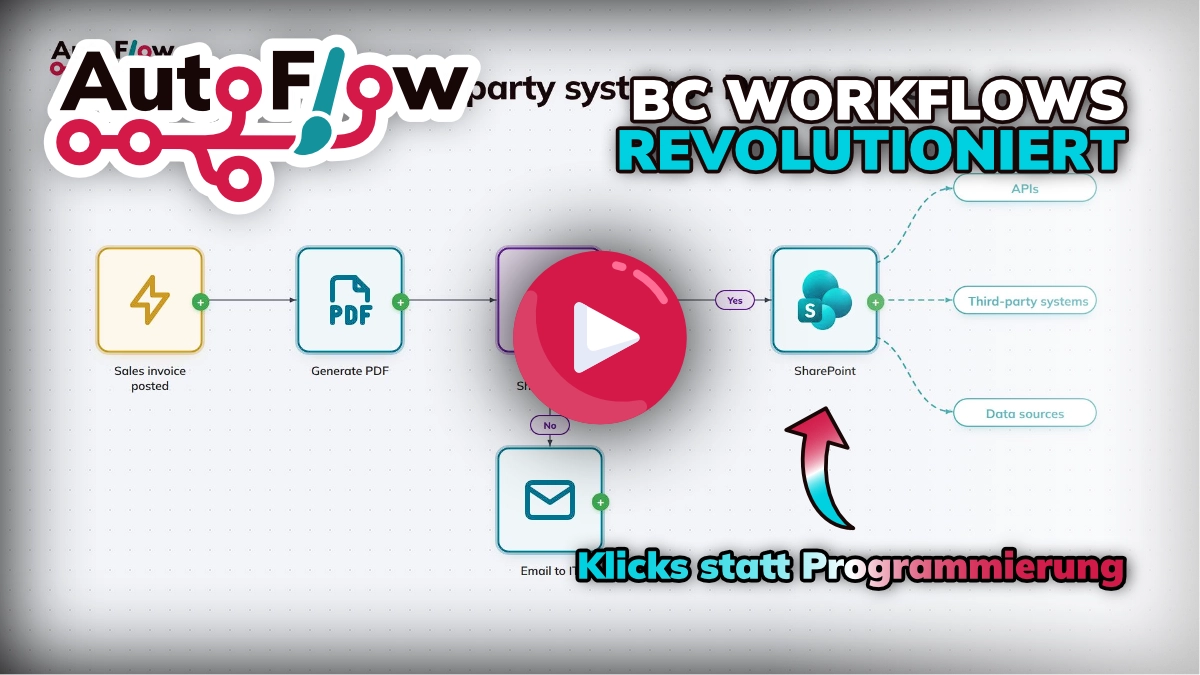
After posting, AutoFlow stores the invoice in SharePoint in a structured way — no manual export, always in the right place and audit-proof.
See how the invoice reaches the right folder
A new ticket in your support system automatically triggers the matching service order in Business Central — no double entry, no media break.
See how a ticket becomes a service order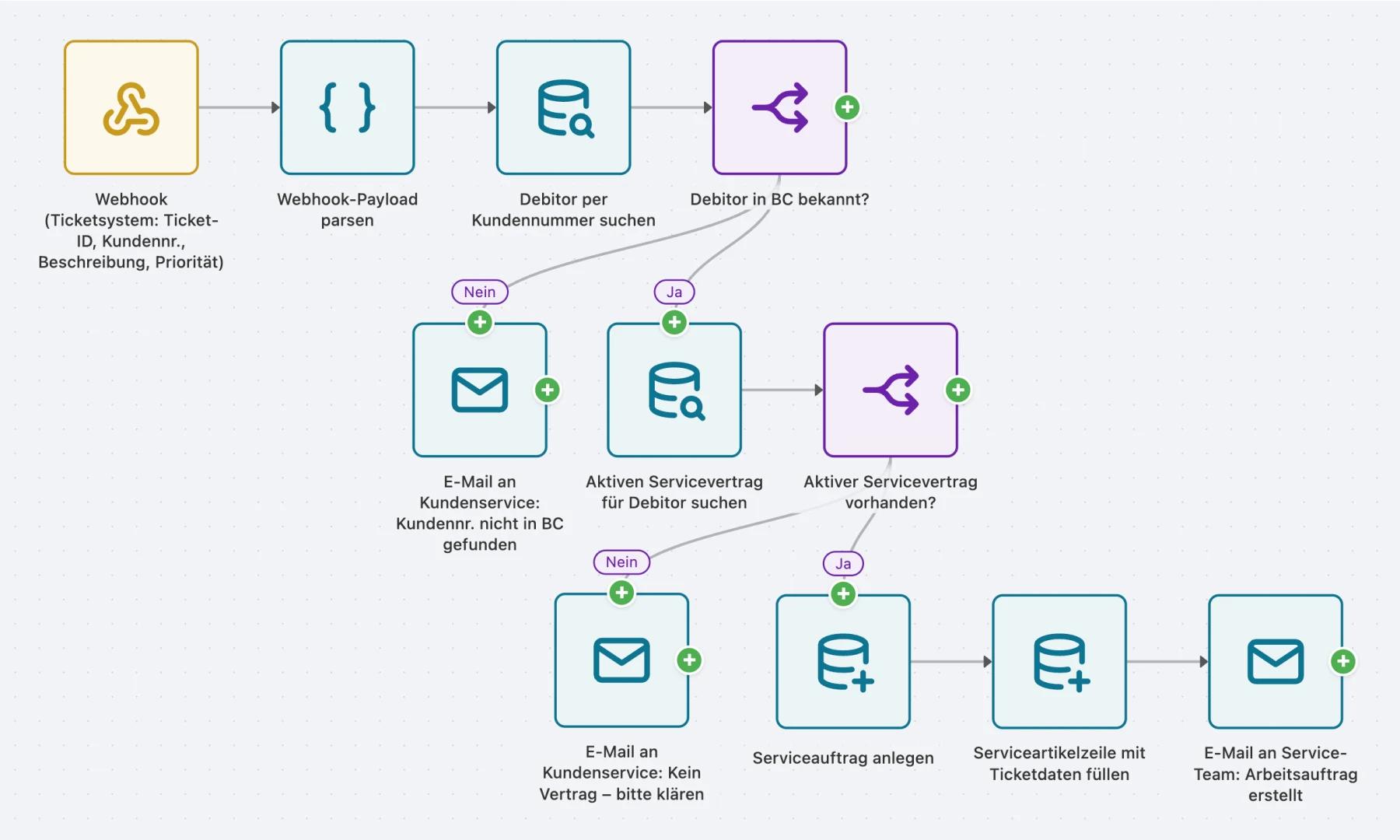
These partners use AutoFlow in their projects
Reviews on Microsoft AppSource and voices from our partners.
5.0 11 ratings on Microsoft AppSource“A very good tool for automating processes in BC (SITE, in our case). Something else that works very well is an interface to our ticket system that we built with AutoFlow.”
“Over the last few months we have built complete approval procedures and automations with AutoFlow where the standard workflow and Power Automate were simply out of their depth. mse has solved what Microsoft has been tinkering with for a long time.”
“With AutoFlow we automated processes in a short time that would otherwise have needed external tools or custom development, including connecting external systems over a REST API. […] A clear recommendation!”
Connector partners“AutoFlow brings Ingram Micro Xvantage right into Business Central – a fast, flexible way for our partners to automate their business with us.”
Connector partners“AutoFlow won us over straight away with its simplicity. Our partners now benefit from having no more breaks between systems, and from us no longer being an isolated solution.”
Connector partners“mse has been an important strategic partner for ITscope for many years. The BC interface is one of our most comprehensive ERP integrations and stands out for the breadth of what it does.”
Two flows are free. With a license your flows are unlimited, and you choose whether to license per user, per company or for the whole tenant.
2 months free
2 flows
free forever
Unlimited flows
billed monthly
equals € 12.50 / month
Unlimited flows
billed monthly
equals € 125 / month
Unlimited flows
billed monthly
equals € 583 / month
All prices in EUR, net plus VAT · 12-month term · Annual payment equals 10 monthly installments (2 months free).
Each session takes one area where automation pays for itself: where the time goes, what it costs and how much of it you can get back. About ten minutes of that is built live in the editor, then we take your questions.
Tell me about it. We look at your process together and I tell you what AutoFlow can do with it.

A flyer, a video and a gallery of ready-made templates. So you can see what AutoFlow can do before you build your first flow.
Ready-made flows for recurring tasks — take one and adapt it to your processes.
Open the gallery