
- Connect
- Credit
- International
- Full app
Connect SkyMinder to Business Central
A customer in Singapore, a supplier in Brazil: SkyMinder delivers business reports from countries where sourcing them is usually the real problem — and SkyMinder2Dynamics brings them into the record.

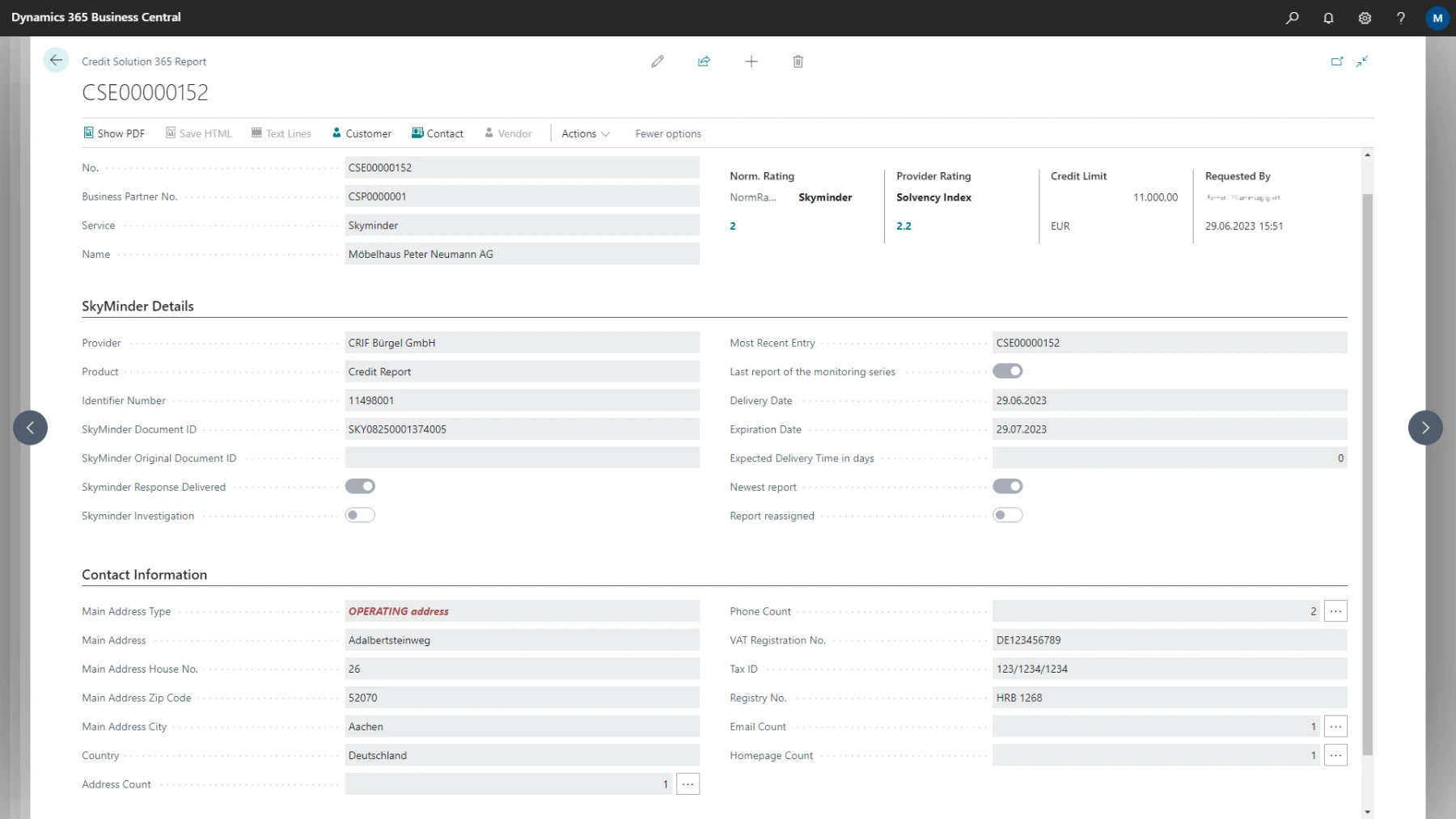
Worldwide reports, in the record you already use
SkyMinder delivers business reports regardless of country, based on daily updated CRIF data and the best qualified local information providers in each market. Precisely where sourcing is hard — Asia, the Middle East, Africa, Latin America — that is the difference between having a report and having none.
SkyMinder2Dynamics brings them into Business Central: retrievable from the contact, the customer and the vendor, displayed identically at each of those places. The report sits beside them as an entry of its own with its own number series, not as a change to the standard.
Set up once, the same everywhere
One structure for every country
Display and retrieval are identical across the contact, the customer, the vendor and the report entry. The normalised rating makes countries comparable whose own scoring systems are not, and the provider rating beside it shows what the local provider actually said.
No more duplicate reports
The phonetic search finds the right business partner even when the spelling is not exact — the point at which a second report for the same company usually gets paid for. Reports you already own can be taken over with an initial load and linked to customers, vendors and contacts.
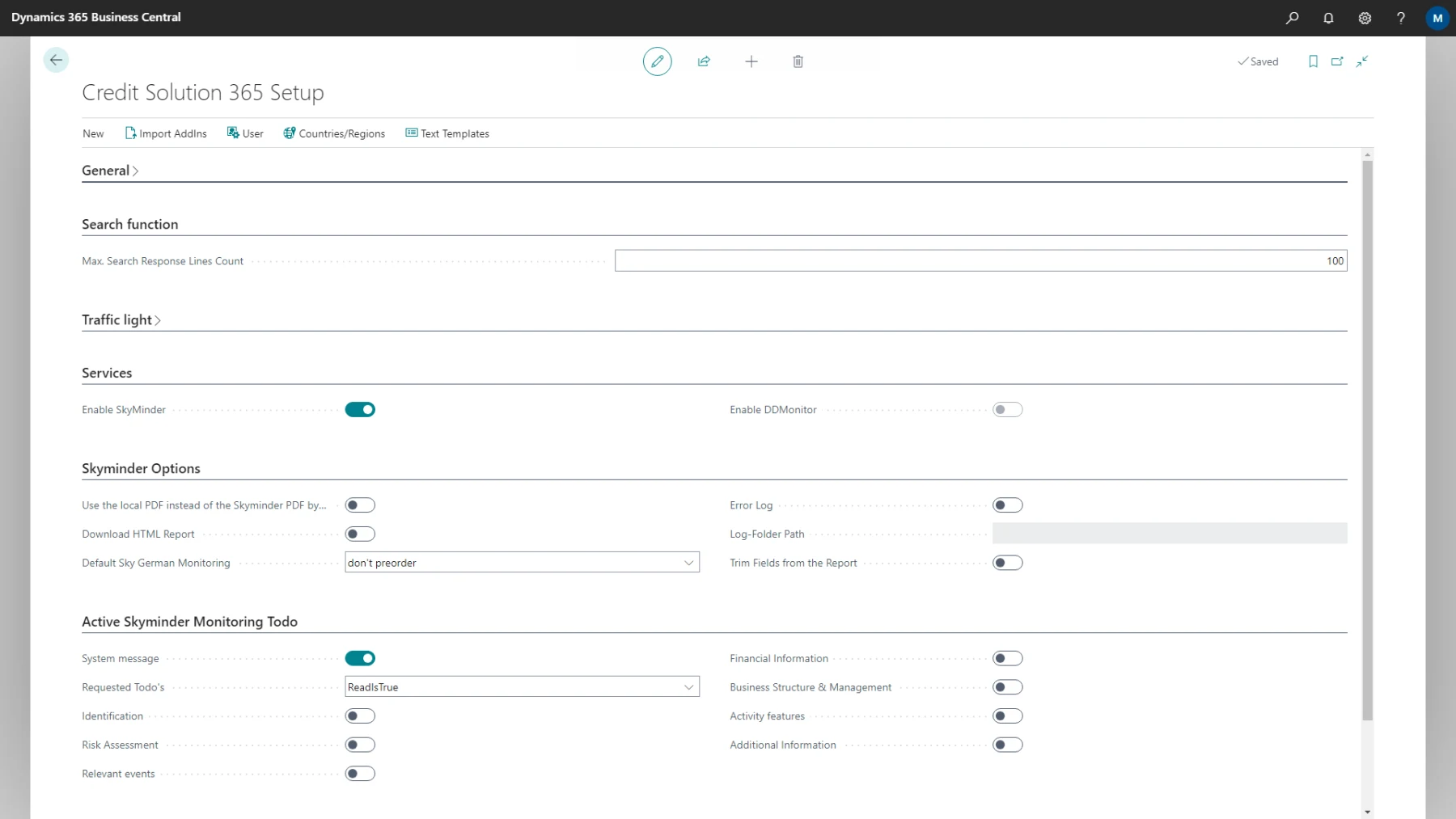
What Business Central and SkyMinder exchange
The same integration as CRIF, on international data. If you need both, you enable both in the same setup.
Out of Business Central
- Request a report or an investigation for a business partner
- Hit the right partner through the phonetic search
- Activate monitoring for a partner
Into Business Central
- International reports as entries of their own on the business partner
- Normalised rating, provider rating and credit limit as fields
- Answers to investigation requests as soon as they are available
- Existing reports from the SkyMinder archive via initial load
What has to exist on your side
- A contract with CRIF for SkyMinder You get the user name and password for SkyMinder access from your CRIF partner. Which report and monitoring options you see depends on that contract.
- Microsoft Dynamics 365 Business Central Cloud-compatible, plus the extension. The standard stays untouched: its own number series, its own tables.
- Permissions assigned Handled through the Business Central permission system, both for retrieval and for the access credentials.
Questions we get asked
What exactly is being connected?
The SkyMinder interface, connected to your Business Central system. It puts the state of your business partners' creditworthiness where you work with them.
Is this the same as the CRIF connection?
Technically yes — the same integration, the same interface, the same setup. The difference is the data source: international reports through SkyMinder here, German business data from CRIF there. In AppSource they are two apps; in operation you enable whichever you need in the same setup.
Where does the data come from?
Through SkyMinder from CRIF, which in turn sources them from local providers. Which provider it was is stated in every individual report.
Which report and monitoring options do I have?
That is governed by your contract with CRIF. The app only shows the options that are actually available to you.
What about reports I ordered in the web portal?
Those are loaded into the system as well. The sync runs a few times a day, not every second.
Where do I get SkyMinder access?
You get the user name and password from your CRIF partner.
SkyMinder2Dynamics is ready to install
International reports in the record you already use, with a normalised rating across borders. Your CRIF partner supplies the access.
- Reports from markets where they are hard to get
- Phonetic search against duplicate reports
- Terms settled in conversation