
The whole document as one line
For anything that needs no line logic: the invoice goes onto a G/L account as a single line. The fastest case, and the right one for phone bills, rent or electricity.
E-invoice or PDF makes no difference to the process: both arrive as an incoming document in Business Central, get read, get matched and become a purchase invoice.
Normally the incoming invoice lands in document management first. That is where it gets matched and where it gets approved. But the DMS knows little of what is in Business Central: which order is open, which receipt belongs to it, which G/L account is right, which dimensions apply.
One of two things follows. Either people guess — in which case automatic approval is off the table and every invoice needs somebody to look it up. Or the matching data gets pumped into the DMS permanently: vendors, order and receipt lines, G/L accounts, dimensions. Two systems that have to know the same things, and one of them always finds out late.
Business Central knows the open orders, the receipts, the accounts and the dimensions. So Receive does the matching and the approval where that information already sits. The DMS stays the archive it is supposed to be — and no longer has to know what a goods receipt is.
The route it takes is the Business Central one: the incoming document becomes the purchase invoice. Because that is the standard route, the approvals are the standard approvals and the dimensions are the ones that already apply — none of it has to be rebuilt. And because matching is complete before the invoice exists, it becomes possible to decide at all which cases may run through untouched.
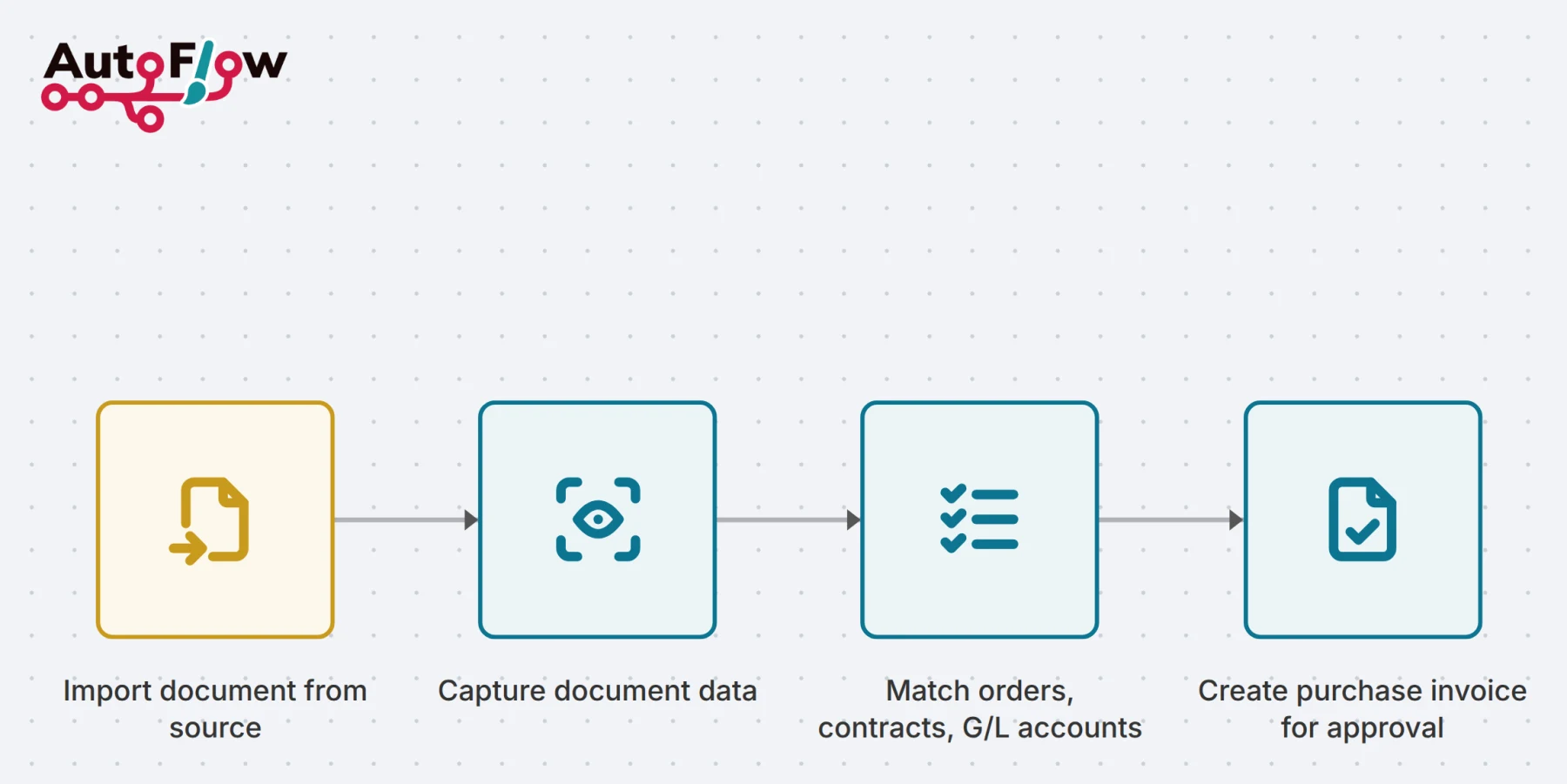
Invoices and other documents come from their source into the Business Central incoming documents — from an Outlook mailbox, from SharePoint, from another system.
For an e-invoice the XML is parsed; for a PDF, OCR runs. Both end up in the fields of the incoming document, which we extended with additional fields and a lines table for the purpose.
Vendor and lines are matched by four rulesets: the whole document onto a G/L account, a line to a purchase receipt, a line to a subscription contract, or a line by text matching.
Once everything is matched, the purchase invoice or credit memo is created from it. If it is not, the incoming document stays where it is — with whatever is already matched visible on it.
For anything that needs no line logic: the invoice goes onto a G/L account as a single line. The fastest case, and the right one for phone bills, rent or electricity.
The invoice line is matched against a posted purchase receipt line. That ties the invoice to what actually arrived, rather than to what was ordered.
Recurring items are matched to a line on a subscription contract. Precisely the invoices where the same check is otherwise done by hand every month.
Then the rest: item, G/L account or anything else, found from the text of the line. You set the rule, and it grows with every vendor.
Approvals run on the standard Business Central workflows — on the incoming document, on the purchase invoice, or on both. No second approval system for somebody to maintain.
Filing into the DMS can be triggered at any point in the process — on arrival, after approval, or only after posting. The archive stays an archive.
Where the rules are unambiguous, the document runs through untouched and gets posted. Which invoices may do that is yours to configure — and everything else stops, rather than slipping through.
For archiving, by all means — that is what it is for, and filing can be triggered at any point in the process. What no longer has to happen there is matching and approval, because the information for those is in Business Central, not in the DMS.
Yes. For an e-invoice the XML is parsed; for a PDF, OCR runs. From the incoming document onwards the path is identical — which is why the move does not have to wait on what share of your invoices are electronic.
It stays as an incoming document, with everything already matched visible on it. The purchase invoice is only created once matching is complete — a half-matched document in the invoice ledger would be worse than none at all.
Yes, if you set the rules for it. Blind posting is configuration rather than development — and it applies to the cases you release for it, not as a default.
From a mailbox, from SharePoint, from another system with an API. Which connections are ready to use is listed under Connectors.
That is AutoFlow Dispatch: sending invoices and other documents in the required format over the required channel. Both sit on the same platform.
We set Receive up around your sources, your rules and your approvals. Tell us how your invoice intake runs today and we will tell you what can run by itself.