



• Automate
  • Purchasing
  • Inventory

Reordering at the reorder point

The reorder point has been in the system all along. What is missing is the moment somebody acts on it — and that is the part AutoFlow takes over.

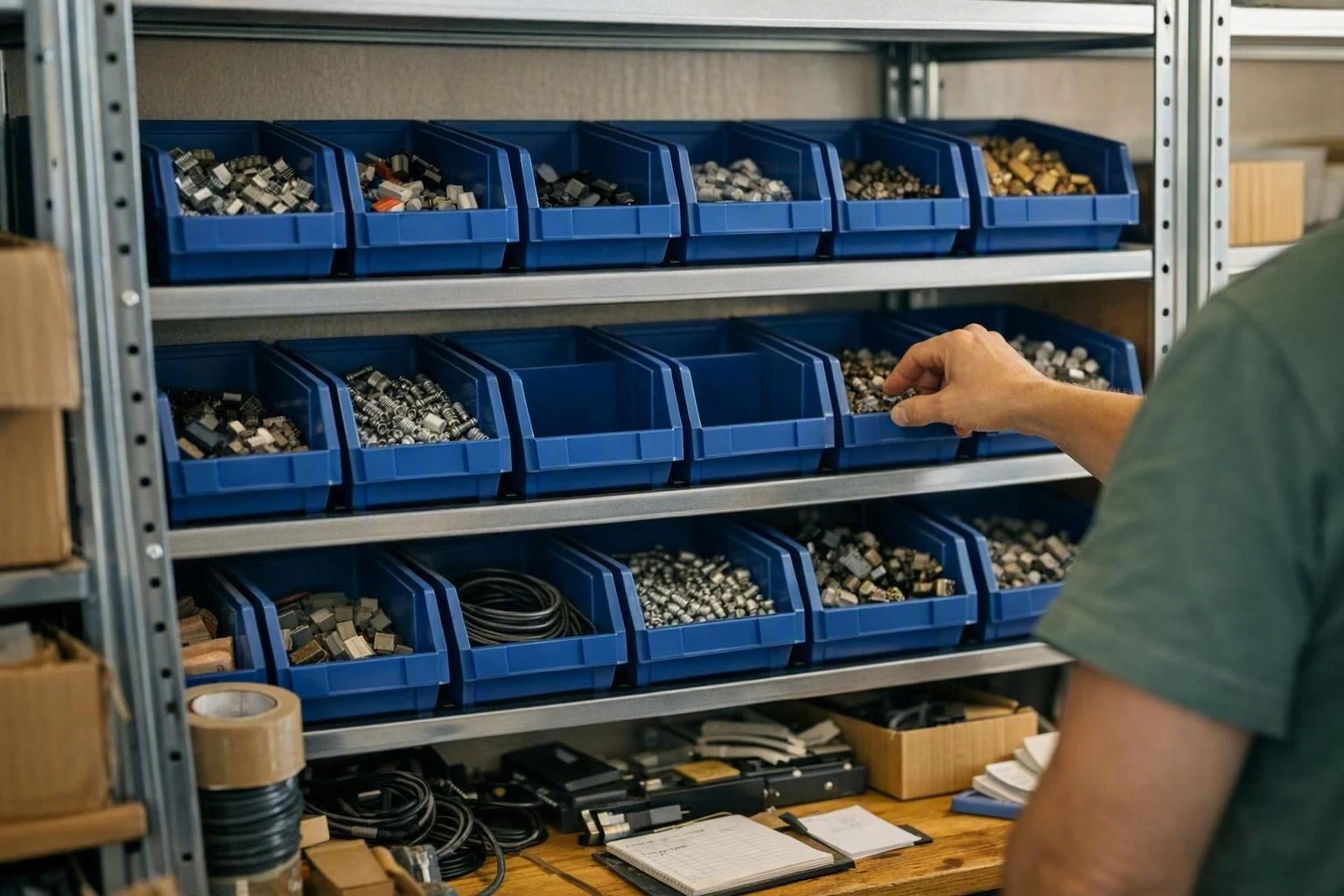
A view across a stockroom, someone working at a rack in the background, a handheld scanner lying in front
The problem

You're out of stock, and the customer found out before you did

The reorder point is maintained, the requisition worksheet is set up, and still somebody regularly finds an empty shelf. Not because the numbers are wrong, but because between “stock fell below” and “order written” sits a person who has to open the list.

On a good day that happens in the morning. In the week before someone's holiday, during sick leave, or when three more urgent things get in the way, it happens days later — and nobody notices that it did not happen.

What it costs you

A forgotten item is never just a forgotten item

The revenue that doesn't happen

An item you cannot supply is rarely bought later. It is bought elsewhere. With consumables and merchandise, availability decides the order rather than price — and a customer who had to go elsewhere once checks there first next time.

A small-parts rack of storage bins with one bin empty

The rush that makes everything cost more

What gets noticed late becomes a rush order: smaller quantity, worse price, express shipping, plus a call to the supplier and one to the customer. The premium shows up in no report, because it spreads across freight, discount tiers and people's time.

A single small carton alone on a large empty pallet in a shipping bay

The order you place twice

The other mistake runs the other way. Two people see the same shortfall, neither sees the other's order, and the item arrives twice. The money then sits in the warehouse instead of the bank — and with anything perishable it sits there until it is written off.

Two identically set up desks, someone on the phone at each

Why it doesn't scale with you

At two hundred items the list works. At two thousand it only works if somebody makes it their main job. Growth then does not mean more revenue at the same effort — it means another half a head, and a dependency on that one person being in.

An open binder holding a densely printed list, a calculator beside it
The fix

The process you would describe anyway — only this time the system runs it

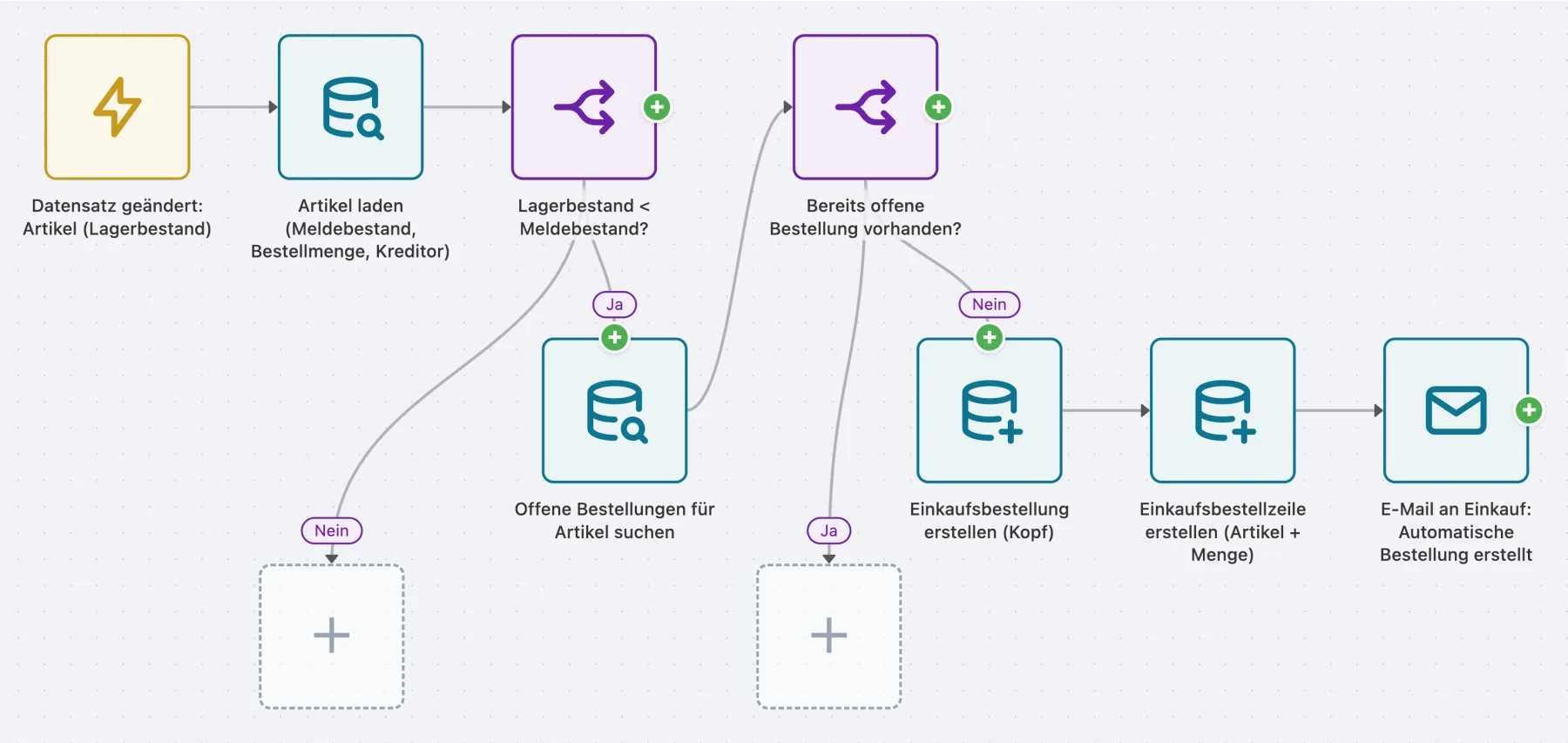
Ask someone in purchasing how reordering works and you get four sentences: stock is low, check whether something is already on the way, write an order to the usual supplier, tell people. Those four sentences are what you click together in AutoFlow. No programming, no extension, no development ticket.

The first working version takes an afternoon, in the sandbox, against your real items. You see what it would propose before anything happens in production.

How it works

  1. It's noticed the moment it happens

    When stock falls below the reorder point the process starts — without anyone opening a list.

  2. Look before ordering

    If an order is already running for the item, nothing happens. That is the check most likely to be skipped by hand.

  3. The order is ready and waiting

    For the item's vendor, with the configured quantity — ready to release, not already sent.

  4. Purchasing is in the loop

    One message per run with everything that was triggered. Not an inbox full of individual alerts.

One afternoon of work, then it runs every day

The process is built and tested in an afternoon. After that it costs nothing more — no maintenance, no reminder, no handover to whoever is covering the holiday. It is diligent precisely when nobody is looking.

The release stays with you

The flow prepares, purchasing decides. If you want more automated, you add the posting step.

No developer

You build it in the graphical editor. Anyone who can explain the process can build it.

Upgrade-safe

No AL code, no object extension. The next BC update passes it by.

Grows with you

Two thousand items cost the flow exactly as much time as two hundred.

How you know it paid off

Not from a number on a dashboard, but from two conversations stopping: the one about the item that is out again, and the one about the order that went out twice. If you are spared each of them once in a quarter, the afternoon has paid for itself.

How it's built

What the process looks like

A trigger, two questions, the purchase order, the mail to purchasing. The process has no more steps than that, and none of them is code.

AutoFlow flow: automatic reordering at the reorder point

Questions we get asked

Is this really set up in an afternoon?

The process itself, yes. What can take longer is the master data — if reorder point, order quantity or vendor are not maintained everywhere, the flow finds that immediately and you have a list to sort out first. That is uncomfortable, but it is work you were putting off anyway.

Do I really not need a developer?

No. You build it graphically from ready-made blocks — no AL, no extension, no deployment. Anyone at home in Business Central who can describe the process can build it. We'll sit in on your first flow if you want.

What happens at a Business Central update?

Nothing. The logic does not sit in the BC core as an object extension; it sits beside it as configuration — there is nothing to recompile. That is precisely the difference from a PTE, which wants your attention at every release.

We work with planning suggestions. Does this still fit?

For planned items, not really — you already have a clock there. It pays off for the items that simply run on a reorder point: C-parts, consumables, merchandise. Typically that is the larger share of the lines and the smaller share of the attention.

Can we watch before the flow actually orders anything?

Yes, and we recommend it. In the sandbox it runs against real data without creating anything. In production you can first have it only report what it would order, and switch it live after a fortnight — by then you know whether its suggestions match yours.

What if an item has no vendor assigned?

Then the flow creates nothing and puts the item on the exception list in the run report. Guessing would be the worse option here: an order to the wrong vendor costs more time than it saves.

Try it yourself

Starting with AutoFlow costs nothing

You can build and test in the sandbox as long as you like, without limits. And two active flows stay free forever in your production tenant — not a trial that runs out.

  • Unlimited testing in the sandbox
  • 2 active flows free forever
  • No credit card needed