
Catalogue module
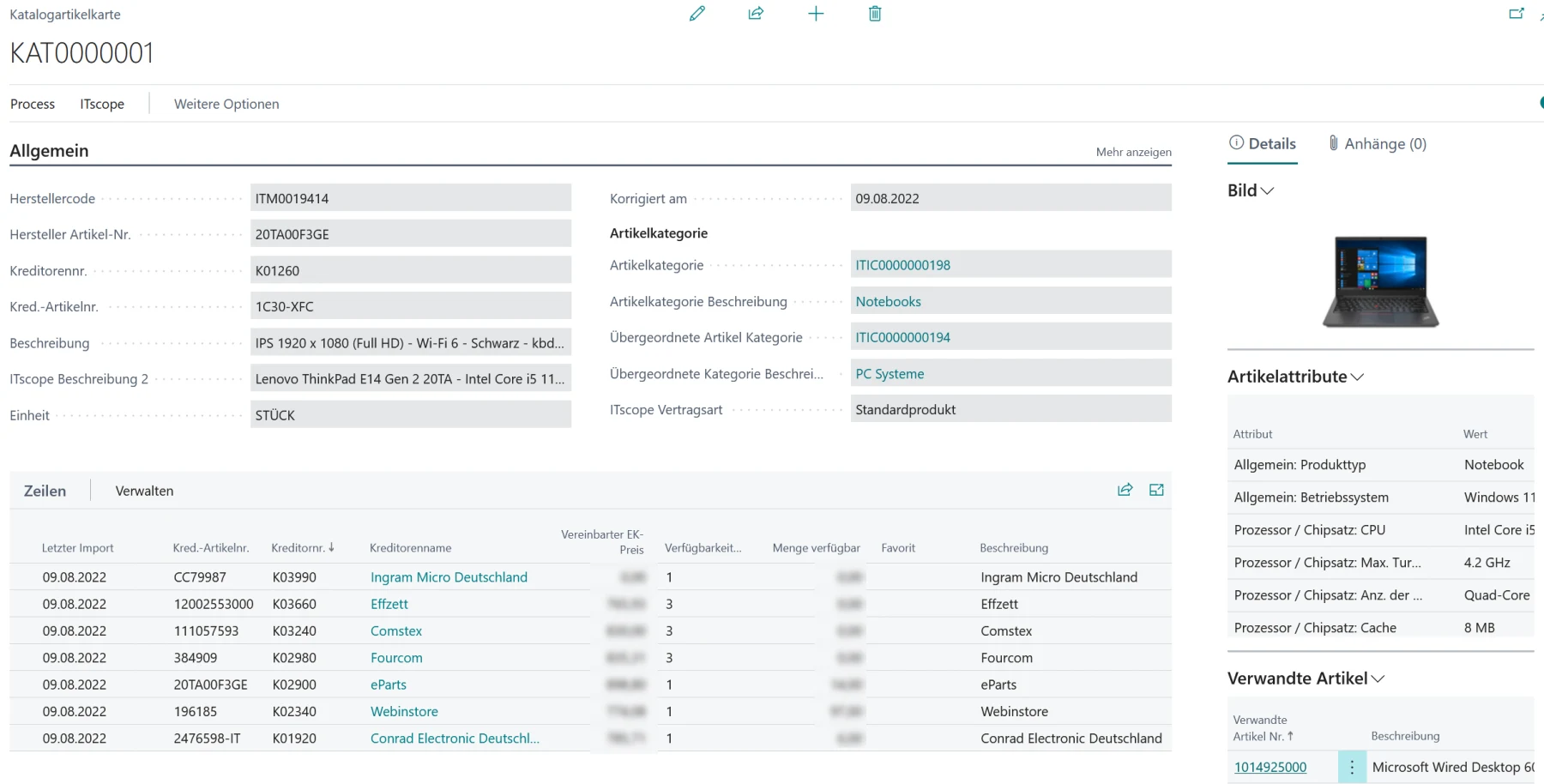
Categories, suppliers, items, prices and availability arrive in the catalogue item master, filtered and scheduled, with product data, images and data sheets.
ITscope brings together the catalogues of more than 400 distributors. ITscope2Dynamics puts them where you already work: in the item master, in the purchase order and in the sales order.
Items, availability and prices of IT products have a short shelf life. Sales is supposed to advise quickly and competently, purchasing wants current information on price and availability — and today both work with two systems side by side.
ITscope2Dynamics extends Business Central with the interface to ITscope, so that ITscope data and processes sit directly in your ERP. Over 3,500,000 ICT products, the terms of more than 400 distributors and the ordering path to them — all from the document you are already in.
Categories, suppliers, items, prices and availability arrive as an import instead of being typed in. ITscope unifies the price lists and catalogues of more than 400 suppliers for this — including technical product data, images, data sheets and marketing copy. Connecting and maintaining a separate interface per supplier is no longer necessary.
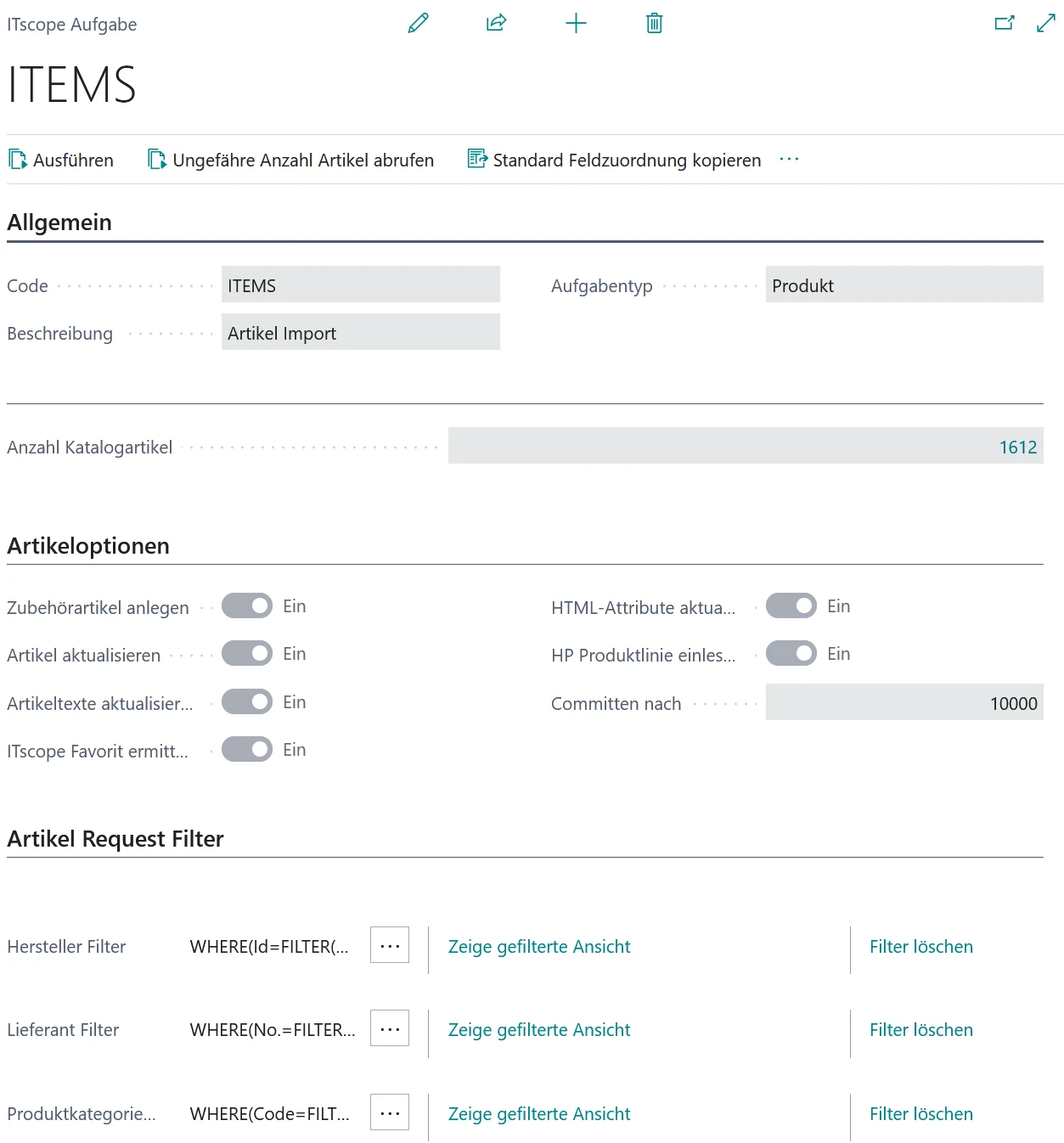
You define as many item segments as you like using filters — by manufacturer, supplier or product category — and have them read in on a schedule. Items already created are updated with one click and enriched with extra information. Automatic determination of the preferred sales price and preferred purchase source finds you the cheapest supplier that has the item in stock, with no research.
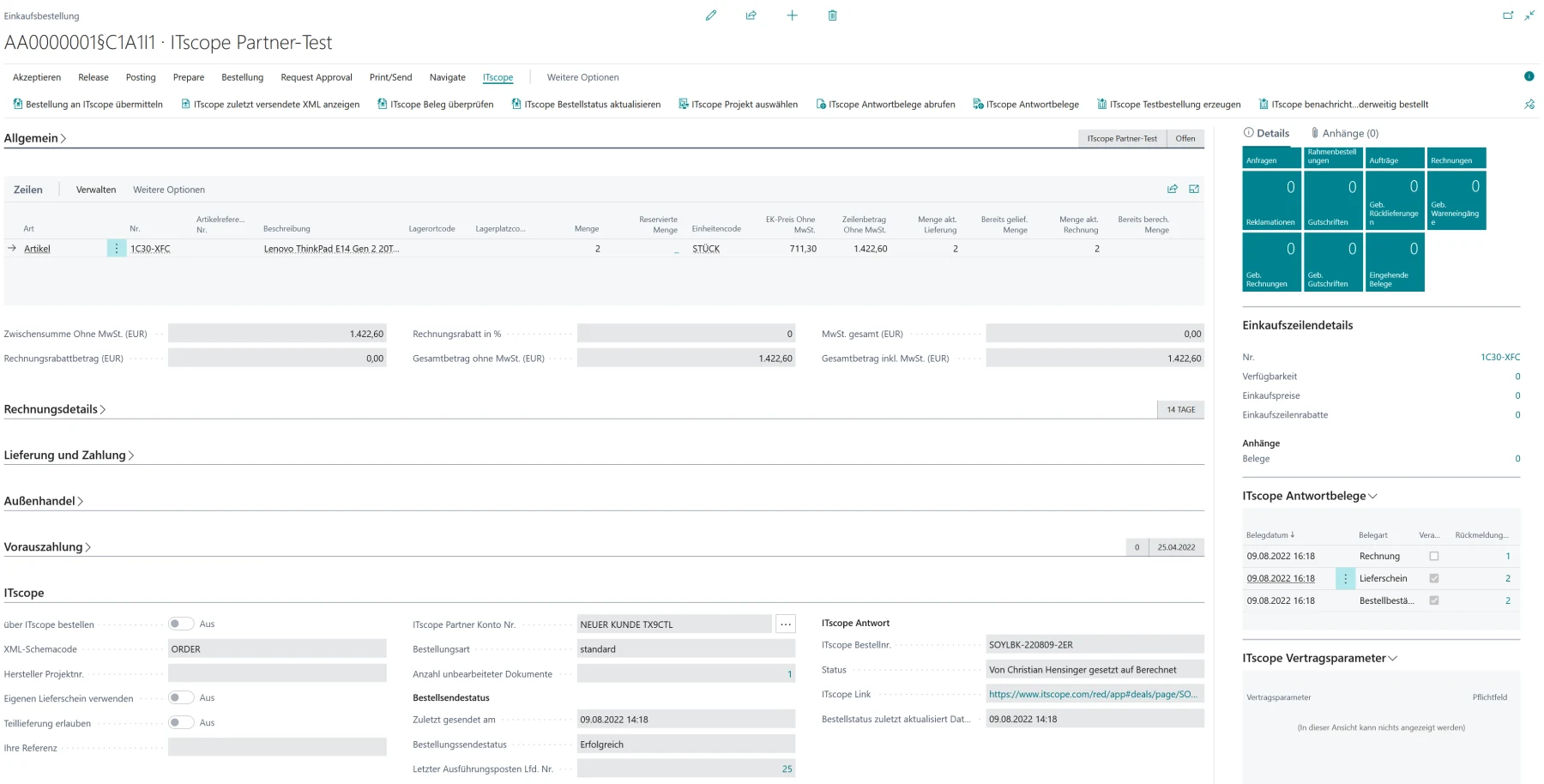
The purchasing module makes fully electronic procurement possible with many of the distributors listed on ITscope, directly out of Dynamics. The order goes out with one click — no paper, fax, telephone or email, and at no extra cost. Some distributors even grant shipping discounts on ITscope orders.

Order confirmations, delivery notes and invoices arrive as response documents and hang off the order they came from. Where the distributor supports it, this data is imported as part of order automation — receiving e-invoices may require separate activation by the distributor.
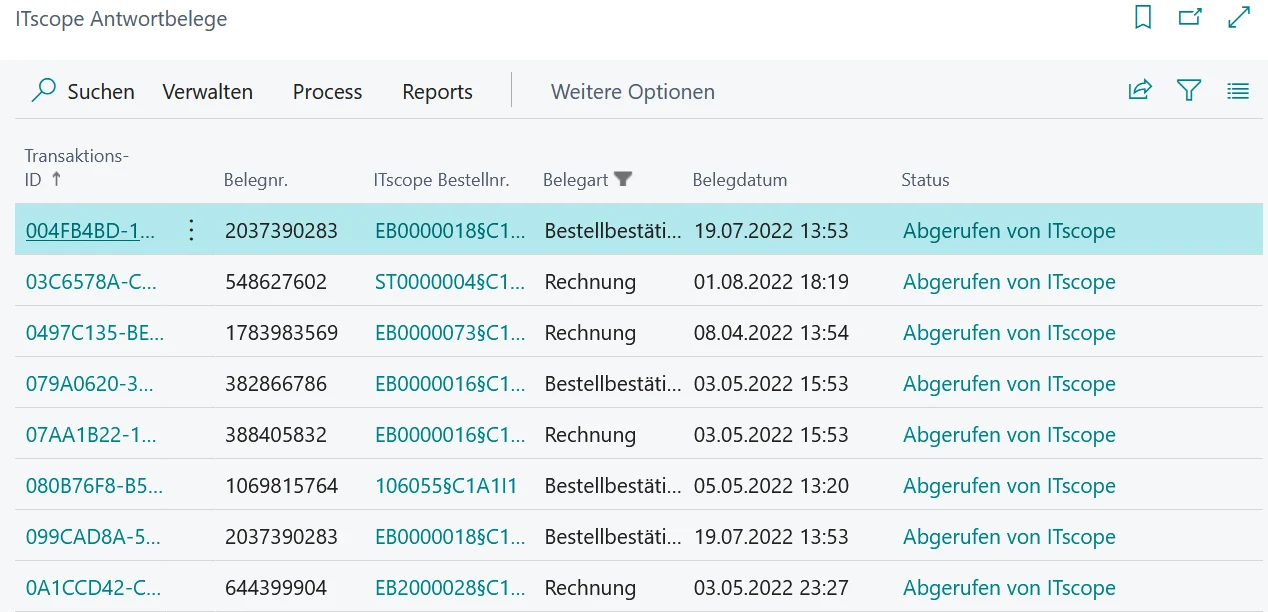
The order itself carries what has happened to it: send status, ITscope order number, the link into the platform, when it was last updated, and the response documents beside it. Anybody who wants to know what an order is waiting on does not have to ask.
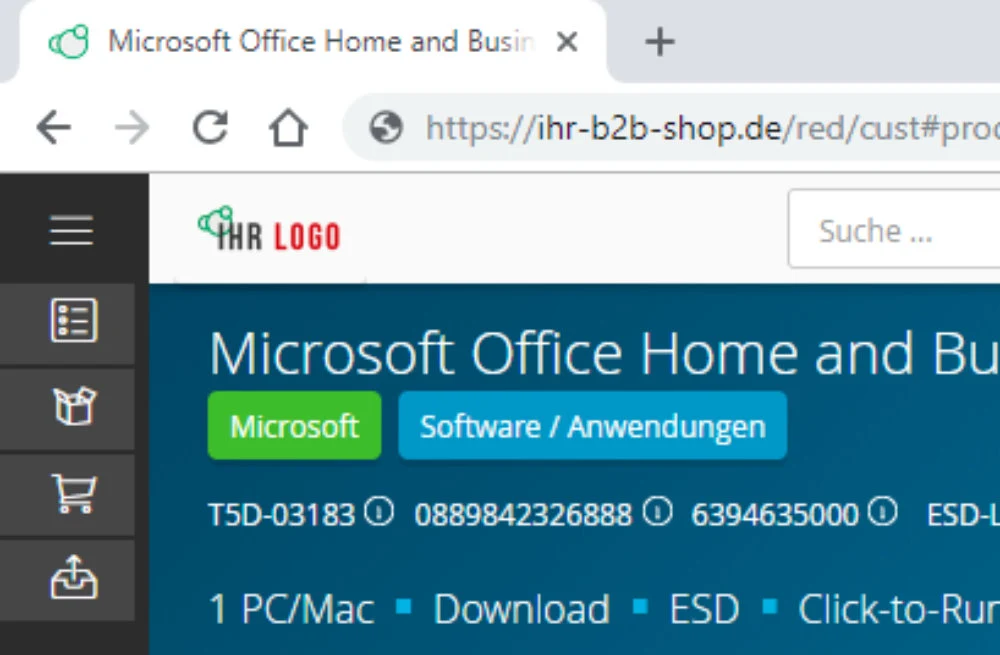
With the B2B shop module, your customers' orders land directly in Business Central. You give them their own B2B shop through the ITscope platform, or use one of the ready-made PunchOut connections so your customer orders from your predefined catalogue inside their own ERP.
ITscope2Dynamics is split into three modules, because a system house rarely tackles all three directions at once. The catalogue fills the item master, purchasing sends orders to distribution, the B2B shop brings your customers' orders in.
What they share is the item master: what the catalogue reads in is what purchasing orders and what the shop offers. That is why the second module costs considerably less than the first.
Categories, suppliers, items, prices and availability arrive in the catalogue item master, filtered and scheduled, with product data, images and data sheets.
Fully electronic purchasing from the listed distributors, straight out of the purchase order, with order confirmations, delivery notes and invoices coming back as response documents.
Your customers' orders land directly in Business Central, from your own B2B shop on the ITscope platform or through a PunchOut connection into their own ERP.
Sales prices from Dynamics can be uploaded into the ITscope shop, so the terms that apply in the ERP are the ones your customer sees.
Both directions — and both are why this is an app of its own rather than a single flow: the integration brings its own pages, tables and controls into Business Central.
The integration is available specifically for the DYCE industry solution. Many processes are wired into the DYCE logic and interface, so the two run together with no extra effort.
The scope there is no smaller than on Business Central without DYCE. There is nothing you have to give up.
As an extension that adds an interface to ITscope to Microsoft Dynamics 365 Business Central, so that ITscope data and processes sit directly in your ERP.
A separate service contract with the ITscope.com service, Microsoft Dynamics 365 Business Central, and the app.
Yes. For on-premises versions of Microsoft Dynamics 365 Business Central, talk to us.
ITscope publishes the list of listed distributors. If yours is missing, contact the ITscope team — many are happy to be integrated into the service at a customer's request.
Yes. Your customer can be entered as the delivery address on a purchase order, and the address is passed to the supplier through ITscope, provided they offer dropshipment.
Yes, your supplier's shipping costs and fixed delivery costs are transferred.
Yes, as part of order automation — where the distributor supports it. Receiving e-invoices may require separate activation by the distributor.
No, an order costs the same as ordering from the distributor directly. With the B2B Suite, transaction fees apply only to incoming orders from your customers.
Real-time prices are requested directly from the distributor's interface. Where there is none, ITscope reconciles the price and stock lists several times an hour, so changes are usually on the platform within 10 to 20 minutes.
Nothing you have to do. It is an extension with its own number series, not a change to the BC core.
Catalogue, purchasing and B2B shop as three modules inside your Business Central. You need the service contract with ITscope; everything else we set up with you.