
- Connect
- Credit
- Risk
- Full app
Connect CRIF to Business Central
Deliver on account or against prepayment? The answer is in a credit report — and that belongs where the rest of your commercial data already is.

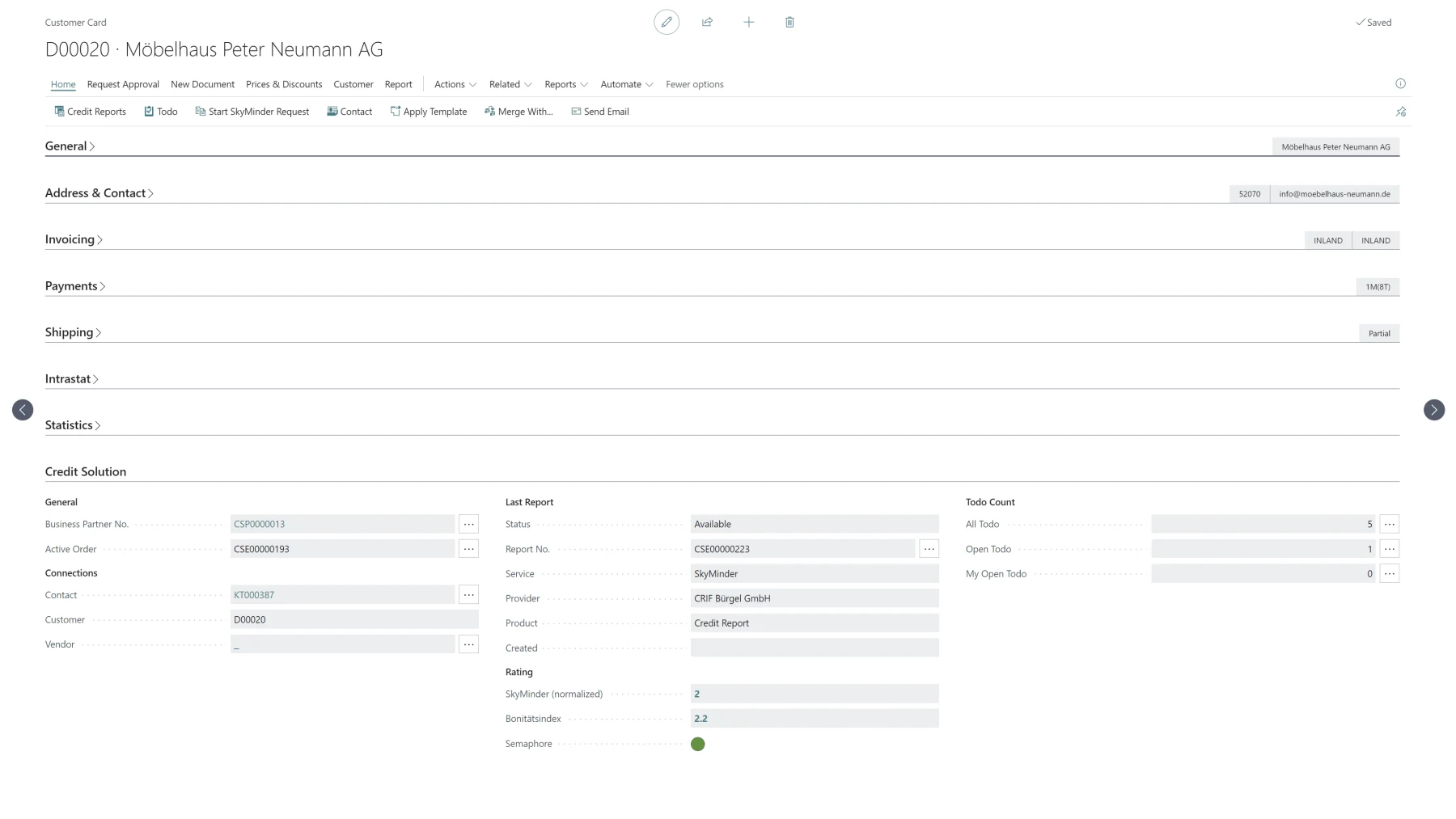
The report belongs in the record, not in a web portal
More and more companies check their risk with business information from CRIF. The question is not whether the report is good, but where it ends up: in a second portal somebody has to open, or in the system where the order is being created anyway.
CreditSolution2Dynamics files the report in Business Central — on the contact, the customer and the vendor, with its own number series and its own report entries. Display and retrieval are identical everywhere, and the most recent entry is visible on the business partner itself.
From the request to ongoing monitoring
A traffic light you set yourself
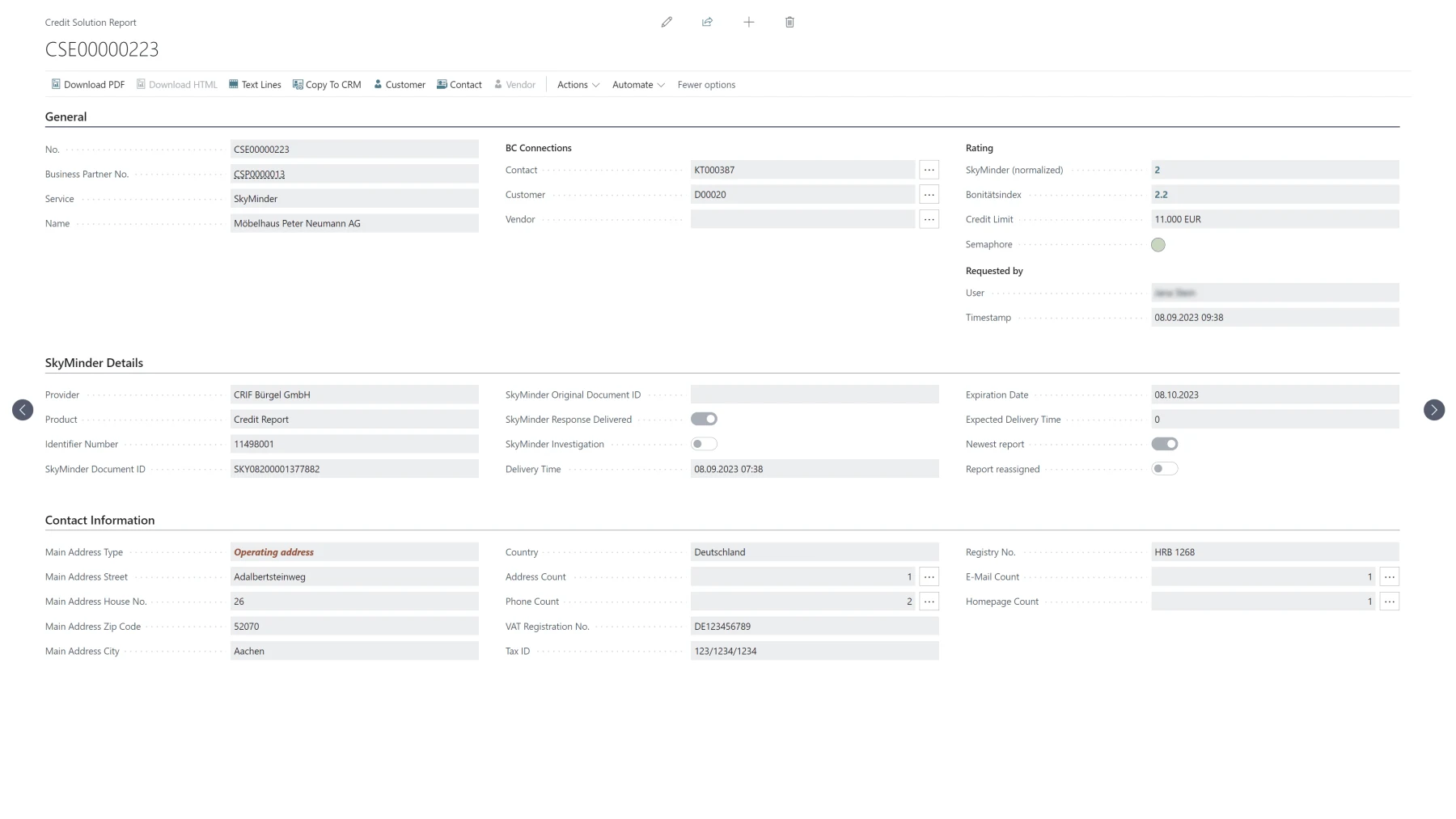
Credit index, normalised rating and credit limit sit on the business partner, with a traffic light beside them. Where green turns amber and amber turns red is yours to set — two thresholds, and from then on the assessment is the same across the company.
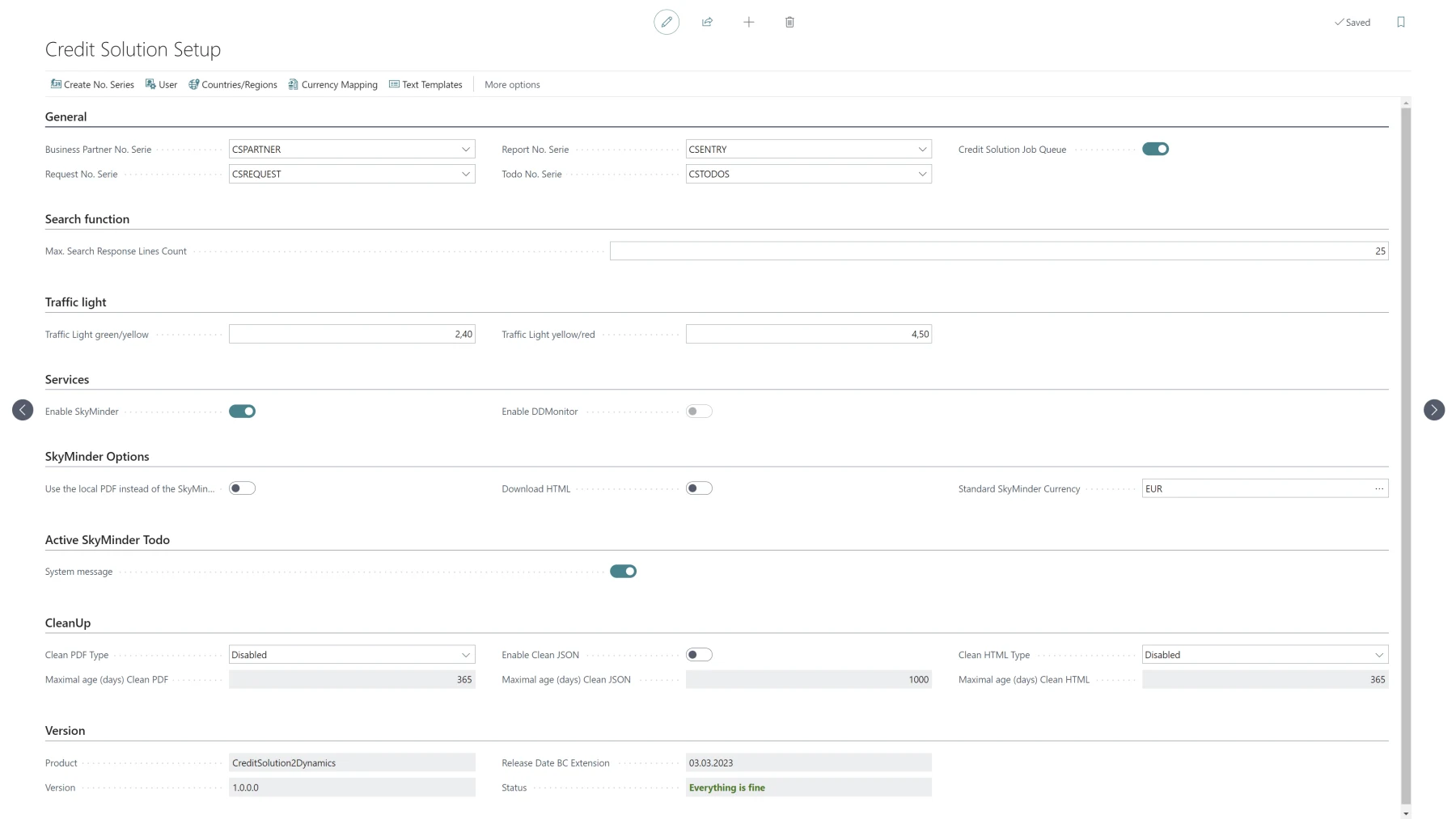
The report in four forms
Every report is stored — together or in whichever combination you want — as a text entry, as a fully laid-out PDF, as fields and symbols on the record itself, and as structured XML. The PDF is what a person reads, the fields are what you filter on, the XML is what a process computes with.
Monitoring speaks up by itself
With monitoring switched on you are notified automatically about the kind of change and the area it affects, together with an updated report. It requires a full report to have been obtained beforehand.
**Planned Revision:** an updated report obtained automatically on a fixed cycle — monthly, quarterly, half-yearly or annually.
What Business Central and CRIF exchange
The integration is an interface manager: the reporting services are connected through it. The German business data comes from CRIF Bürgel.
Out of Business Central
- Request a report for a contact, customer or vendor
- Hit the right business partner through the phonetic search
- Switch on monitoring and Planned Revision for a partner
Into Business Central
- Full and short reports as report entries of their own
- Rating, credit index and credit limit as fields on the business partner
- The finished PDF, the text, the fields and the XML for every report
- Reports ordered in the web portal are read in as well
- Monitoring notifications and automatically updated reports
What has to exist on your side
- A contract with CRIF Which report and monitoring options you have is governed by that contract. The app shows exactly the options that are available to you.
- Microsoft Dynamics 365 Business Central Cloud-compatible, plus the app.
- Permissions assigned The app brings its own permission sets, as user and as administrator. If the fields on the customer stay empty, that is almost always what is missing.
Questions we get asked
What exactly is being connected?
An interface manager from mse Software GmbH for Business Central. It is how you manage the connected reporting services with minimal effort — the CRIF connection is one of them.
Where does the data come from?
From CRIF, and for Germany from CRIF Bürgel. For international reports through SkyMinder, CRIF sources the data from local providers — which provider it was is stated in each individual report.
What if I order a report in the web portal?
It is loaded into Business Central regardless. The sync runs a few times a day as a rule, so the report is not in the system the same second.
Why are the fields on the customer empty?
Usually the permissions are missing. The user needs one of the supplied permission sets assigned.
How is this different from the SkyMinder connection?
Technically it is the same integration. The difference is the data source: German business data from CRIF here, international reports through SkyMinder there. If you need both, you enable both in the same setup.
Who is the manufacturer?
mse Software GmbH, in cooperation with CRIF.
CreditSolution2Dynamics is ready to install
Credit reports on the customer, vendor and contact, with traffic light and monitoring. You need the contract with CRIF; the setup we do with you.
- You set the traffic light thresholds yourself
- Monitoring and Planned Revision included
- Terms settled in conversation